A phone with 512MB of RAM fails current apps when the system footprint leaves no room for them. Android 4.4 KitKat, announced on 31 October 2013, is the release Google sized for that low-memory class. Dave Burke named the effort Project Svelte in the Android Developers Blog post the same day.
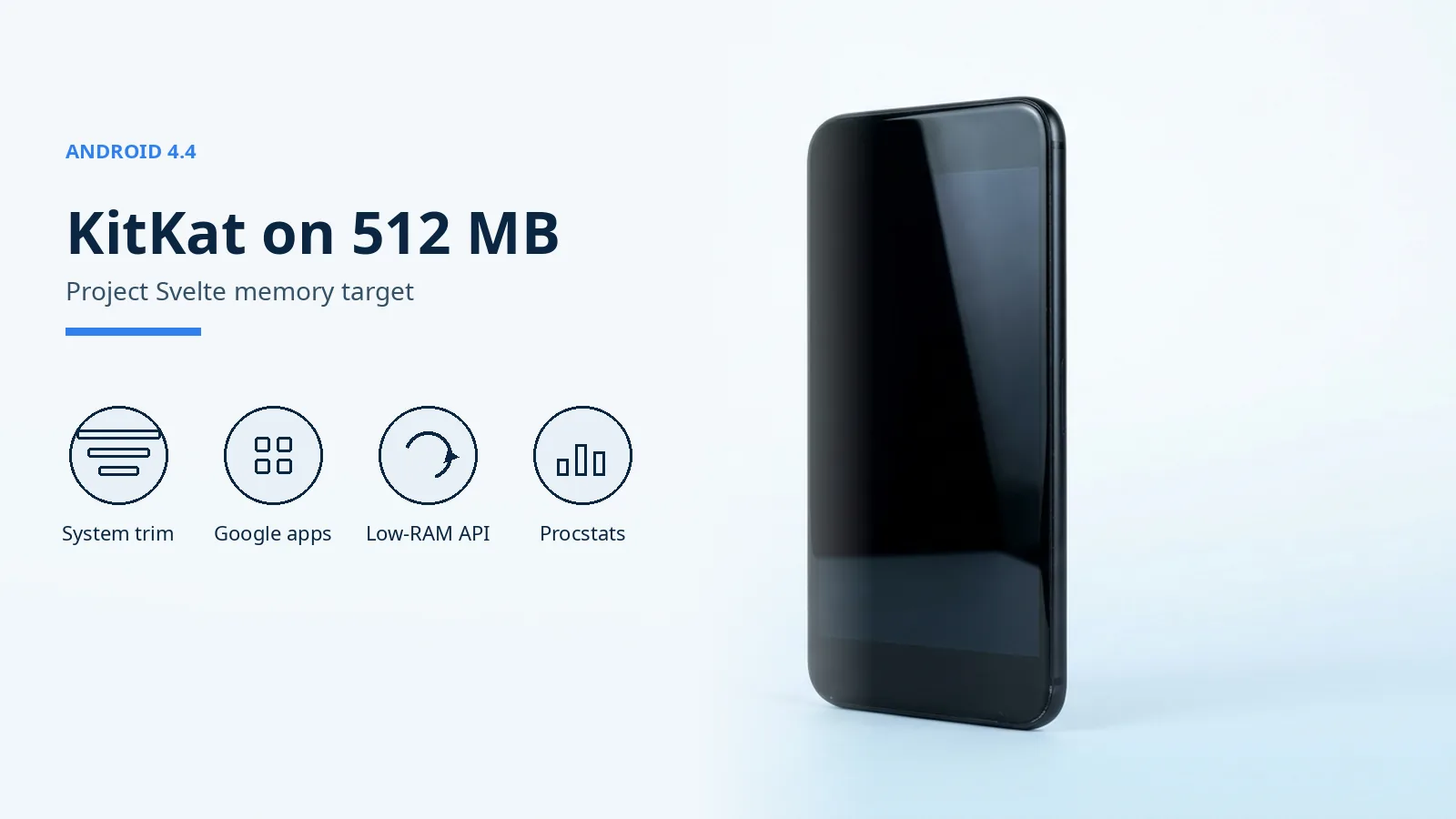
Android 4.4 KitKat is the low-memory release Google sized for phones with 512MB of RAM. The 31 October 2013 announcement says lower-end phones had missed newer Android versions because of memory limits, and that KitKat removed unnecessary background services and cut memory use in features people keep open, including Chrome and YouTube. That post says the release then runs comfortably on the 512MB devices popular in much of the world. The KitKat developer overview, checked 17 October 2026, still states that 512MB entry-level target and documents isLowRamDevice(), procstats, and Process Stats windows of 3, 6, 12, or 24 hours. The current reference says the flag follows the device configuration and generally means 1GB or less, a wider class than the 2013 claim. The Android history archive places the release on the platform timeline.
| Input or item | Value and source | Why it matters |
|---|---|---|
| Comfort RAM target | 512MB, Google blog 31 Oct 2013 and the KitKat overview checked 17 Oct 2026 | The release was aimed at entry-level phones |
| Program name | Project Svelte, Dave Burke, 31 Oct 2013 | Memory work was a named program |
| Low-RAM API | isLowRamDevice(), added in API level 19 |
Apps can turn off features that need more RAM |
| Flag meaning in the current reference | Generally 1GB or less, device configuration decides, checked 17 Oct 2026 | A true flag today is not proof of 512MB |
| Memory load | runtime × average PSS | Process Stats combines time and RAM |
| First named rollout | Nexus 5 first, then Nexus 4, Nexus 7, Nexus 10, Galaxy S4 and HTC One Google Play Edition phones | A platform target and a delivery list are different |
Rule of thumb: If RAM is at or under 1 GB, read ActivityManager.isLowRamDevice() before leaving a large cache enabled. API level 19 added the method. The reference checked on 17 October 2026 says the device configuration decides, and that the flag generally means 1GB or less. The 31 October 2013 comfort claim was 512MB, so a true flag now does not identify a KitKat-era 512MB phone.

What did KitKat change for a 512MB phone?
Google’s announcement says some lower-end phones missed newer Android releases because of memory constraints. KitKat’s response was a smaller system on the same Android APIs, with apps adapting to the device. Burke wrote that Project Svelte reduced memory needs from the kernel through the system, frameworks, and apps, including Chrome and YouTube, so Android would run comfortably on only 512MB of RAM.
The developer overview separates three layers of that work. OEMs building devices received options such as Dalvik JIT code-cache tuning, kernel same-page merging (KSM), and swap to zRAM, plus controls for out-of-memory levels, graphics cache size, and memory reclaim. Inside Android, core system processes use less heap and protect system memory from apps that take large amounts of RAM. For app developers, ActivityManager.isLowRamDevice() is the signal to modify or disable large-memory features on entry-level devices.
Nexus 5 was the first phone to run Android 4.4. That sentence in Burke’s post is about the showcase device. The 512MB sentence is about entry-level hardware. The two claims sit in the same posts and do not describe the same phone.
Where does a low-memory phone actually fail?
The dominant failure mode is a memory peak that makes Android kill background work. The developer overview says that when several services start together, such as when network connectivity changes, Android 4.4 launches those services serially, in small groups, to avoid the peak. MemoryInfo.threshold is the available-memory level at which the system treats memory as low and starts killing background services and other non-essential processes. MemoryInfo.lowMemory is the boolean for that state. totalMem is the memory the kernel can access.
| Path | What changes | Dominant failure mode | Prevention |
|---|---|---|---|
| Stay on the previous Android version | The newer system never has to fit in 512MB | Current apps and the KitKat memory tools never arrive | Ship KitKat only where the chipset and the vendor actually deliver it |
Ship KitKat and ignore isLowRamDevice() |
The platform is smaller and the apps are not | Large caches push the phone into the low-memory kill | Disable large-memory features when the flag is true |
| Start many services on one network change | RAM demand spikes | Background work dies once available memory hits threshold |
KitKat already starts those services in small groups |
| Treat 512MB as an update promise | A budget is read as a delivery list | The handset never receives the build | Match the phone to the named rollout, then to the vendor’s own record |
How do you calculate Process Stats memory load?
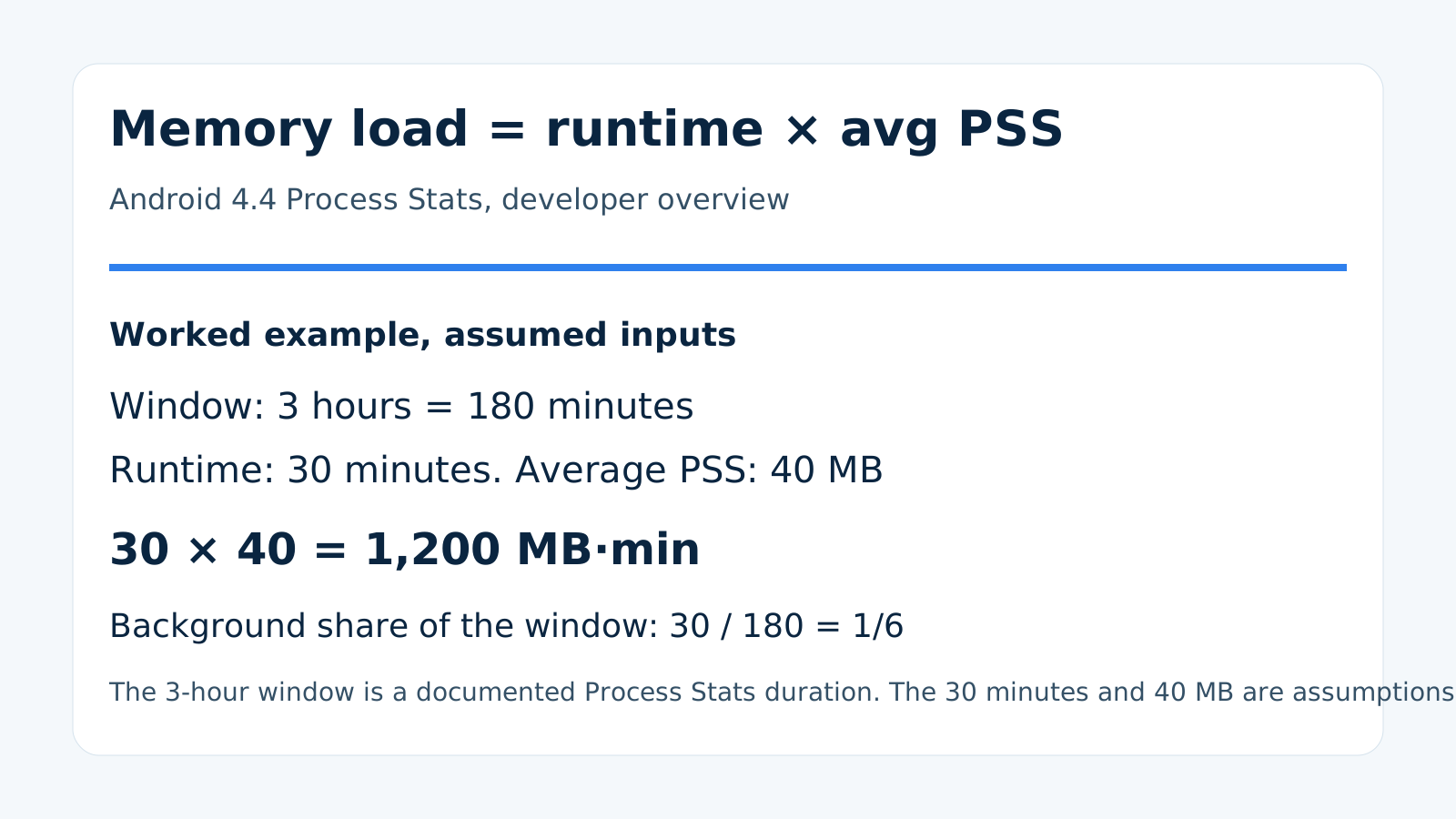
Process Stats draws a bar for each app from this published product:
memory load = runtime × avg_pss
The percentage next to that bar is a different number: the share of the collection window spent in the background. Android 4.4 lets the window be 3, 6, 12, or 24 hours. You can filter foreground, background, or cached processes, and you can include or exclude system processes and USS memory.
Worked example. Use the shortest documented window, 3 hours, which is 180 minutes. Assume one background service runs for 30 minutes of that window and its average PSS is 40 MB. Those two inputs are assumptions for the arithmetic, not a profile captured from a phone.
memory load = 30 min × 40 MB = 1,200 MB·min
Background share = 30 / 180 = 1/6 of the window.
A service with a modest average PSS still dominates the bar when it runs for most of the window. A short, heavy spike raises the load only for the minutes it exists. The overview tells developers to watch both duration and RAM, especially on a low-RAM device.
What the 512MB target did not promise
Burke’s post named a first wave, not the whole market. Nexus 5 ran Android 4.4 on announcement day. Over the following weeks, the update was planned for Nexus 4, Nexus 7, Nexus 10, and the Samsung Galaxy S4 and HTC One Google Play Edition phones. A 512MB phone outside that list still needed a chipset, drivers, engineering time, and, in some markets, a carrier. The memory budget removed one obstacle. It did not sign the update for every existing handset.
KSM, zRAM, and the Dalvik code-cache tuning are OEM options in that overview, not switches this page tells you to flip. Turning them on without the vendor’s build can change memory behavior in ways the public KitKat text does not quantify. This page does not publish a heap size, a compression ratio, or a per-model RAM figure, because those values are not in the documents above.
The same limit applies to later platform work. Android Go is a later low-memory configuration with its own app and store choices. Project Treble separates the Android framework from vendor code, which is an update-delivery problem rather than the 512MB budget. For the handset side of affordable Android in that era, see how the Moto G reset mid-range expectations.
What still costs you after the system is smaller
Google called RAM one of the most expensive parts of a phone, then argued that a smaller system puts Android 4.4 in reach of 512MB hardware. After the phone ships, the cost that remains is background work spending the headroom Project Svelte freed. Memory load is that bill: runtime multiplied by average PSS. A long-lived service crowds the foreground app, and the low-memory killer answers by stopping background services once available memory reaches threshold.
Virtual RAM features on later phones do not rewrite this 2013 budget. The RAM boost and virtual memory guide separates compressed swap from physical RAM. If Process Stats shows a background service with a high load, restrict that app first. The background-app battery steps are the practical next check on phones new enough to expose those controls.
KitKat also shipped immersive mode, a printing framework, a storage access framework, and a Chromium WebView. Those are real parts of the same release. They are not what decides whether a 512MB phone stays responsive. For this URL, the deciding facts are the 512MB comfort target, the low-RAM flag, the serial service start, and the memory-load product.
How this page was checked
The figures above come from four public Google documents: the Google blog post with published_time 2013-10-31, the Android Developers KitKat overview, Dave Burke’s post dated 31 October 2013, and the ActivityManager reference for isLowRamDevice() and MemoryInfo. The worked example uses the published formula, the documented 3-hour window, and two assumed inputs.