Mixing the Galaxy Note 4’s 5.7-inch panel into the Galaxy Note Edge is the wrong record, and it fails anyone checking the edge screen’s size. On September 3, 2014, Samsung announced the Galaxy Note Edge with a curved edge screen for frequently used apps, alerts, and device functions, with a thumb swipe, even when the cover is closed.
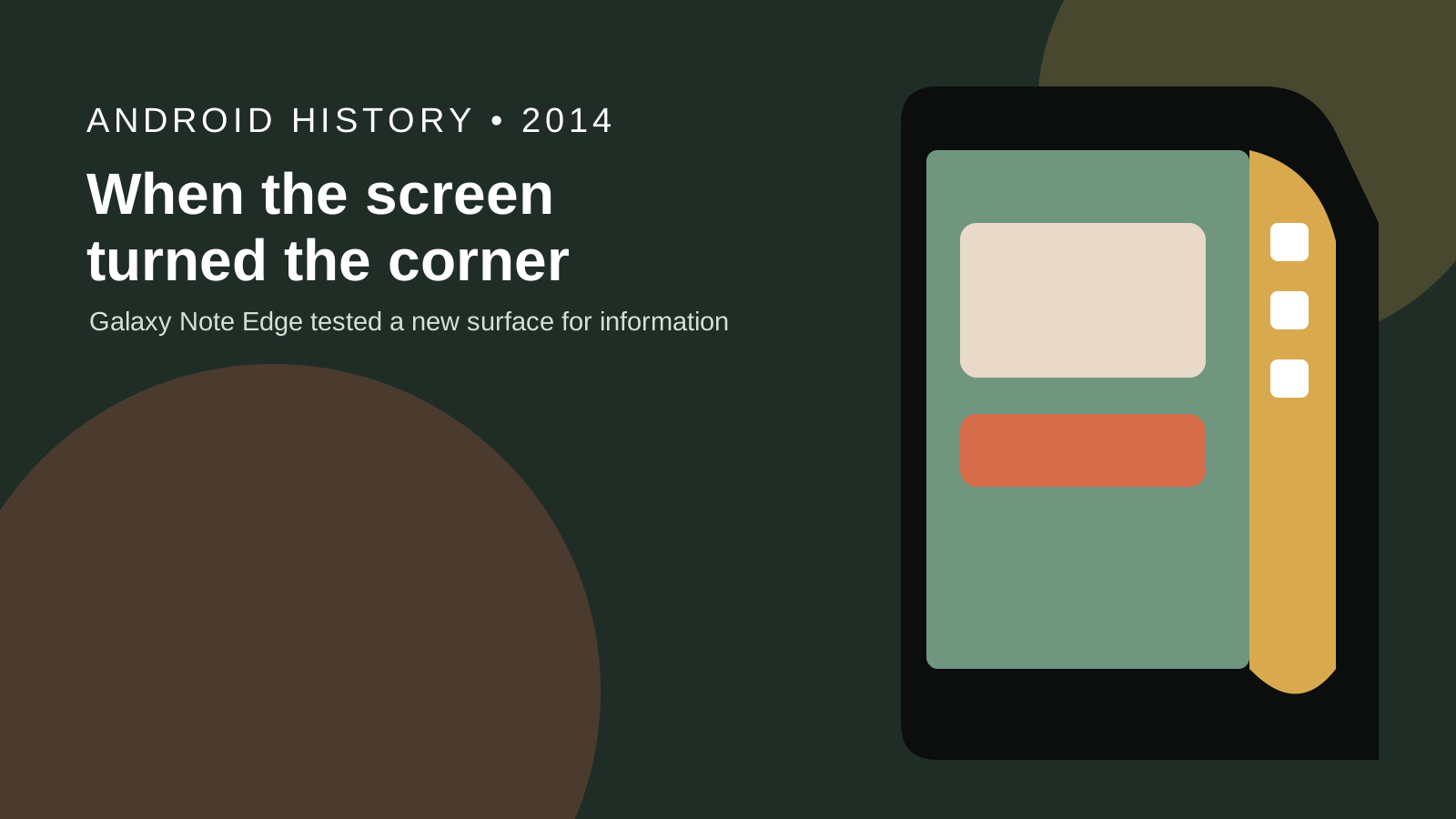
The Galaxy Note Edge is the 2014 Samsung phone with one curved side used as its own display. The September 3, 2014 announcement puts apps, alerts, and device functions on that side, and puts video notifications there too. The October 28, 2014 design note names Modern Fluidic, index cards, an alarm, a voice recorder, a ruler, a stopwatch, photos, and handwriting, plus a 180 degree turn for left-handed use. The March 18, 2015 S6 edge note describes dual curved sides made with 3D Thermoforming. The Android history hub files this record. Size, resolution, radius, battery capacity, weight, price, and a sale day stay blank where those pages leave them blank.
Samsung’s September 3, 2014 announcement leaves the Galaxy Note Edge display size blank and assigns the 5.7-inch Quad HD Super AMOLED panel to the Galaxy Note 4.
| Item | Note Edge on the September 3 page | Note 4 on the same page | Why the split matters |
|---|---|---|---|
| Display size | 5.7-inch | The size line sits in the Note 4 section | |
| Resolution | Quad HD (2560 x 1440) | The pixel grid is printed for the Note 4 | |
| Panel | Super AMOLED | The panel name is printed for the Note 4 | |
| Response time | as fast as a millionth of a second | Printed with the Note 4 display | |
| Glass wording | 2.5D glass and a metal frame | Printed for the Note 4, before the Note Edge section | |
| Curvature radius | Neither phone gets a radius on this page | ||
| Battery capacity | Neither phone gets a capacity on this page | ||
| Weight | Neither phone gets a weight on this page | ||
| Price | Neither phone gets a price on this page | ||
| Colors | Charcoal Black, Frost White | Charcoal Black, Frost White, Bronze Gold, Blossom Pink | Bronze Gold and Blossom Pink are Note 4 colors |
| Availability | Select markets, later this year | Global markets, starting in October | Neither line prints a calendar sale day |
What made the Note Edge display unusual?
The Note Edge display was unusual because the screen continued over one rounded edge and that extension worked as an additional side display.
The September 3, 2014 announcement introduces the phone after the Note 4 sections. The Note Edge paragraph says the curved edge screen provides quick access to frequently used apps, alerts, and device functionality, even when the cover is closed, with the swipe of a thumb. Notifications can arrive on the edge screen while someone watches a video, without disturbing that viewing. The page date is September 3, 2014, and the page is tagged IFA 2014.
The October 28, 2014 design note tells how that side was built. Designers removed the bezel and extended the screen over a rounded edge, so the screen gained a separate display on the side. The theme name for the Note Edge is Modern Fluidic. The theme name for the Note 4, in the same note, is Modern Sleek. The curve is described as inspired by the curve of wind and the shape of a water droplet, and the note calls the curvature optimal. It does not print a radius, so this page does not add one.
Colors and reach are the other printed boundaries. The announcement says the Note Edge will be available in Charcoal Black and Frost White, in select markets, through Samsung retail, e-commerce, and carriers, later this year. The Note 4 will be available in those two colors plus Bronze Gold and Blossom Pink, in global markets, starting in October. “Later this year” and “starting in October” are the availability lines. A calendar sale day is absent from both lines.
The same announcement names www.samsungmobilepress.com for full details and product images. This page keeps the three saved newsroom pages as the spec record.
What could people do with the edge panel?
The edge panel gave quick access to frequently used apps, alerts, device functions, and four tools: an alarm, a voice recorder, a ruler, and a stopwatch, plus personal photos and handwriting.
The September 3 page is the access list. A thumb swipe reaches frequent apps, alerts, and device functions, and the edge still works when the cover is closed. A notification can use the edge while video uses the main screen. The October 28 page is the tool list and the interaction. The edge screen spins like a revolving door, and the reader swipes from one edge screen to another. Samsung says it ran dozens of tests so one thumb operates the screen, and so icons and text have a workable size and spacing. The page does not print the number of screens or the number of tests beyond “dozens.”
Functions follow the app on the main screen. Extra notifications go to the edge, which is how the main screen stays clear. When the main screen is a video or a note, the design note says the edge screen creates an unobstructed layout so attention stays on that main screen. Quick tools named on October 28 are an alarm, a voice recorder, a ruler, and a stopwatch. Screen designs can take personal photos and handwriting. The September 3 page’s line about expressing personality and taste sits next to that later list. The eight-direction voice tagging sentence on September 3 is in the Galaxy Note 4 section, with the Note 4’s microphones and speaker phone. It is not in the Note Edge tool list.
| Edge job | Page that prints it | What the main screen keeps | Dominant failure mode | Prevention the page prints |
|---|---|---|---|---|
| Apps, alerts, device functions | September 3, 2014 | The video | A cover hides the curved side, so the thumb path is gone | The edge works even when the cover is closed, which requires that cover to leave the side exposed |
| Alarm, voice recorder, ruler, stopwatch | October 28, 2014 | The note or the video | Icons or text too large or too tight for one thumb | Dozens of tests for thumb control and for icon and text size and spacing |
| Photos and handwriting | October 28, 2014 | The main app | A fixed side strip with no personal mark | Custom screen designs using personal photos and handwriting |
| Controls that follow the main app | October 28, 2014 | An unobstructed video or note | A notification drawn on top of the video | Additional notifications go on the edge screen |
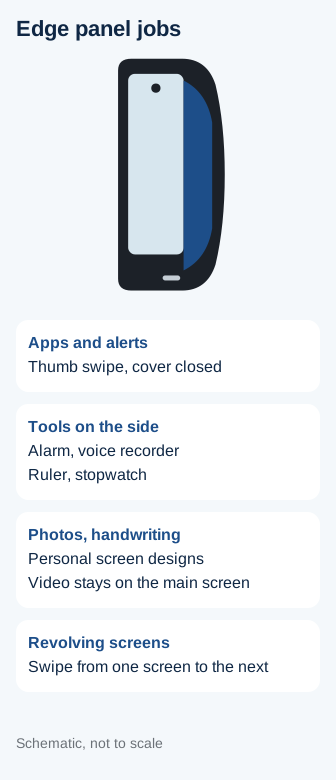
Side display = screen extended over one rounded edge.
That is the construction sentence from October 28, written as one line. When the main screen is a video, the notification uses the side display, so the video keeps the main screen. There is no printed pixel count, so this page does not divide one area by another or claim a percentage of the glass.
Why did Samsung curve the screen around only one side?
Samsung’s October 28 note describes one side display, taken from index cards beside notes, made by extending the screen over one rounded edge.
The designers looked at index cards people use while taking notes, which is the Note family’s writing habit. Removing one bezel and carrying the screen over that rounded edge produced one extra display on the side. The analog reference is the index tab. The digital result is a strip the thumb can revolve through. The note also ties the curve to wind and to a water droplet, under the Modern Fluidic theme. It calls that curve delicate and optimal. A radius is not part of the sentence.
A single side has a reach consequence, and the same note prints the accommodation. The edge screen keeps working when the phone is rotated 180 degrees, for left-handed use. The tests mentioned beside that line are about thumb reach, icon size, and text spacing. The note does not print a second curved side, a symmetric glass body, or a study that rejected a two-sided curve. The construction it does print is one rounded edge and one side display.
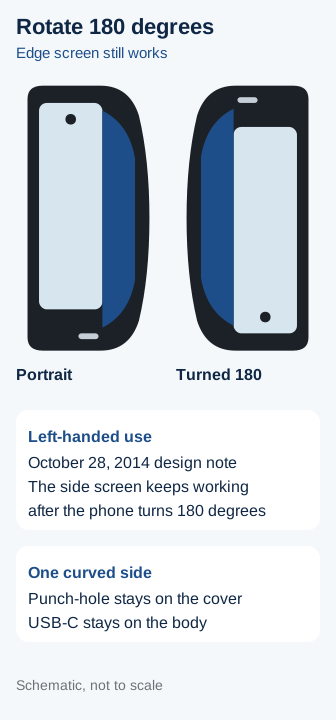
Rule of thumb: if the job is an alert while a video stays full on the main screen, the September 3, 2014 announcement puts that alert on the edge screen. If the job is the dual-curve body, the March 18, 2015 page describes the Galaxy S6 edge as an immersive wide-screen view and puts the glass and aluminum claims on that page.
How was Note Edge different from later curved-screen phones?
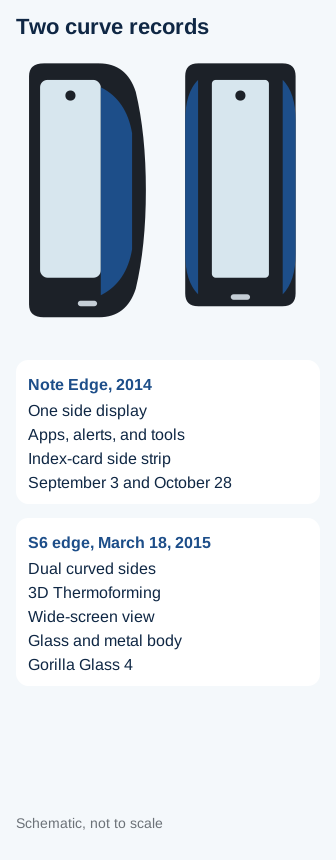
The Note Edge side was a tool display. The Galaxy S6 edge, on Samsung’s March 18, 2015 design page, is a dual-curve viewing surface on a glass and metal body.
That page says the Galaxy S6 and Galaxy S6 edge are Samsung’s first smartphones made entirely of glass and metal. Samsung applied 3D Thermoforming to produce the dual curved edges of the S6 edge display. The page calls the dual curved sides the biggest difference between the two phones. Those edges are there for a more immersive view, compared with watching a movie on a wide screen. The page also says both bodies are lightweight, fit the hand, and use a metal trim for grip. It does not print a gram weight.
Materials on that page are about damage and scratches. Samsung says it incorporated Gorilla Glass 4 and describes that glass as thin, light, and damage-resistant. The aluminum is described as high-strength aluminum of a kind used for aircraft, automobiles, and yachts, and as 1.5 times stronger and 1.2 times more scratch-resistant than aluminum found in other smartphones then on the market. Those multipliers belong to the March 18, 2015 materials paragraph. They are not a curvature radius, and they are not Note Edge specs.
The March 18 page describes the S6 edge on its own terms. A ruler, a stopwatch, an alarm, and a voice recorder are October 28 Note Edge tools. They are not restated as S6 edge side tools on the March 18 page. Readers who want this site’s later full-front screen can use the Galaxy S8 Infinity Display article. This page does not copy that article’s measurements into the 2014 record.
What trade-offs came with the curved display?
The printed trade-offs are a single side that needs a 180 degree turn for left-handed use, a strip whose icons needed thumb tests, and a spec line that stays blank for size, radius, battery, weight, price, and sale day.
The failure table above is the practical set. A cover that hides the curve removes the path the September 3 sentence depends on, because that sentence says the edge works even when the cover is closed. A thumb target that is too large or too tight fails the test goal printed on October 28. A notification drawn on the video fails the unobstructed-layout goal, which is why additional notifications go on the edge. Left-handed portrait use fails if the strip stays on the far side, which is why the screen has to keep working after the phone turns 180 degrees.
The October 28 note says product information can change without notice, including functions, specifications, design, pricing, components, performance, availability, and capabilities. That sentence is why a missing price stays missing. It is also why a later software list can differ from the four tools named that day. This page keeps the tools that the saved note prints.
The March 18, 2015 page makes a different trade for a different phone. Dual curves are there for immersion. Gorilla Glass 4 and the stronger, more scratch-resistant aluminum are the damage story for the glass and metal body. Applying those material multipliers to the Note Edge would mix two dated pages. The Note Edge pages do not print Gorilla Glass 4, 3D Thermoforming, or a dual-curve body.
Comparisons that need a Note Edge screen size, a curvature radius, a battery capacity, a weight, a price, or a sale day stop at the empty cells. The September 3 page has the Note 4’s 5.7-inch Quad HD Super AMOLED line, the Note 4’s 2.5D glass, and the Note 4’s October global availability. Those lines stay in the Note 4 column.
Why does the Galaxy Note Edge still matter today?
The Note Edge still matters because the 2014 pages define a side tool display, and the 2015 page defines a dual-curve viewing surface, as two different jobs for a curved phone.
Someone comparing a flat front with a phone that bends on one side can use that split. Alerts during video, a revolving tool strip, and a 180 degree turn for the other hand belong to the Note Edge notes. Immersion, 3D Thermoforming, and a glass and metal body belong to the S6 edge note. The Android history hub holds this phone on the site timeline. The Galaxy S8 Infinity Display article is the later full-front chapter on this site. The Galaxy Fold in 2019 article follows the phone that opened into a tablet.
The September 3 announcement also keeps the phones commercially separate. The Note Edge is the select-market phone in two colors, later that year, with the side display. The Note 4 is the global phone starting in October, with the printed 5.7-inch panel and two extra colors. Keeping those rows apart is the part of the 2014 record that still corrects a spec sheet.
Further reading
- Galaxy S8 Infinity Display covers the later full-front screen on this site.
- How Material Design remade Android covers the software surface from the same season.
- Galaxy Fold in 2019 follows the phone that opened into a tablet.
- Android history hub is the timeline for this 2014 record.
Checked October 18, 2026. Facts on this page come from the three Samsung Global Newsroom pages linked in the opening. A library search did not return those pages. Two other addresses returned HTTP 404 and are unused. Display size, resolution, curvature radius, battery capacity, weight, price, and a sale day stay blank where the saved pages leave them blank.