Google’s announcement positions Pixel Tag as a consumer item finder, not a live GPS tracker. This prelaunch assessment uses public documentation, not our product testing: retail availability is announced for November 11, 2026; setup requires Android 9+ and Bluetooth 6.0+, with compatible UWB hardware separately required for precision guidance.
Key takeaways
- Pixel Tag goes on sale November 11, 2026 at Google’s announced U.S. price of $29 each or $99 for four.
- Setup requires Android 9+ and Bluetooth 6.0+. Precision direction and distance require a compatible UWB phone; Find Hub map and Bluetooth sound cover different situations.
- Google advertises IP67 resistance, stainless-steel construction and up to one year of replaceable-battery life, with important wear and test-condition limits.
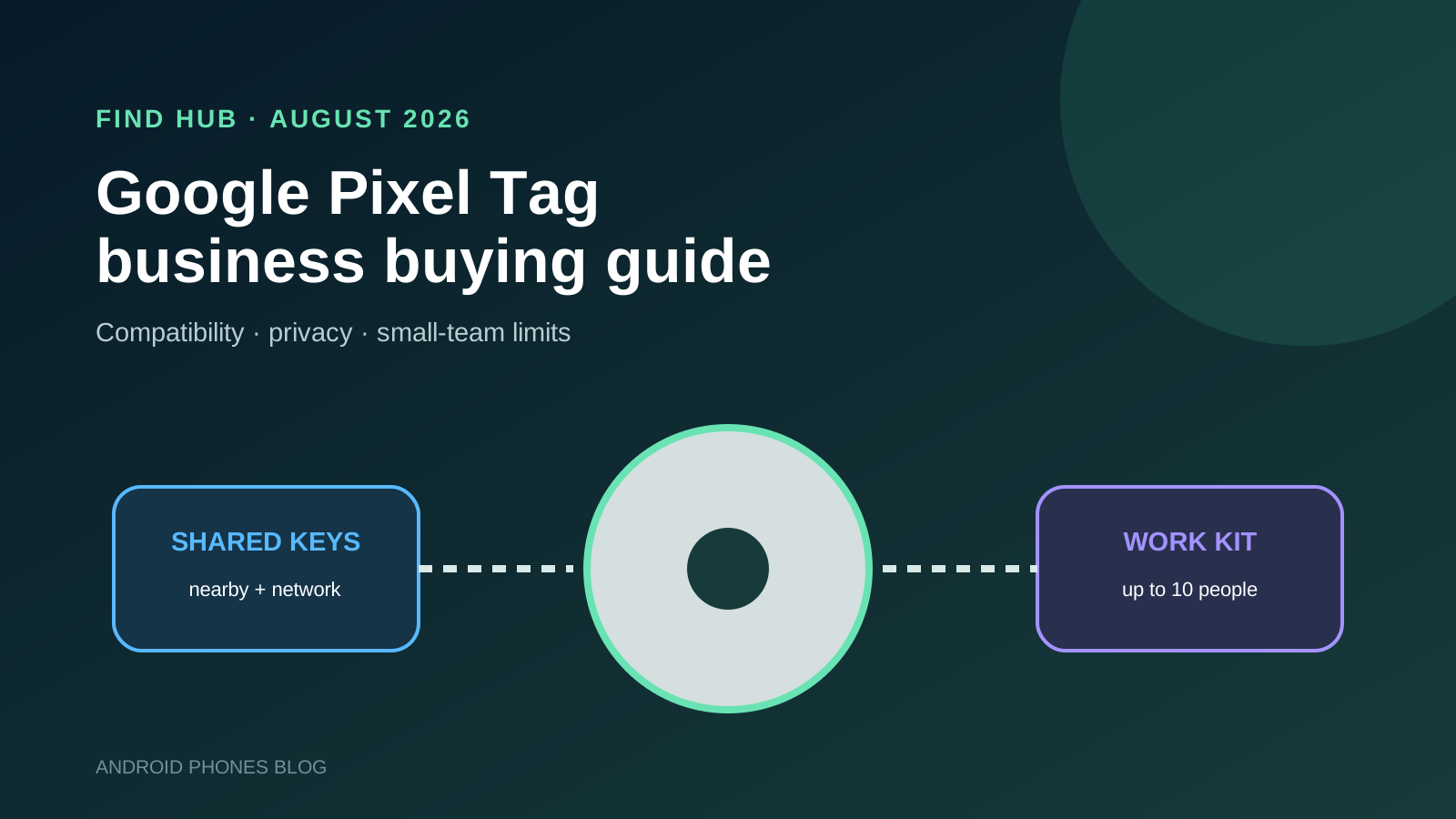
- A tag can be shared with up to ten people, which may fit small teams but does not provide enterprise roles, bulk enrollment or a dedicated asset console.
- Find Hub uses end-to-end encrypted location information and Android supplies unknown-tracker alerts, but organizations still need consent, acceptable-use and lost-item procedures.
What is Google Pixel Tag?
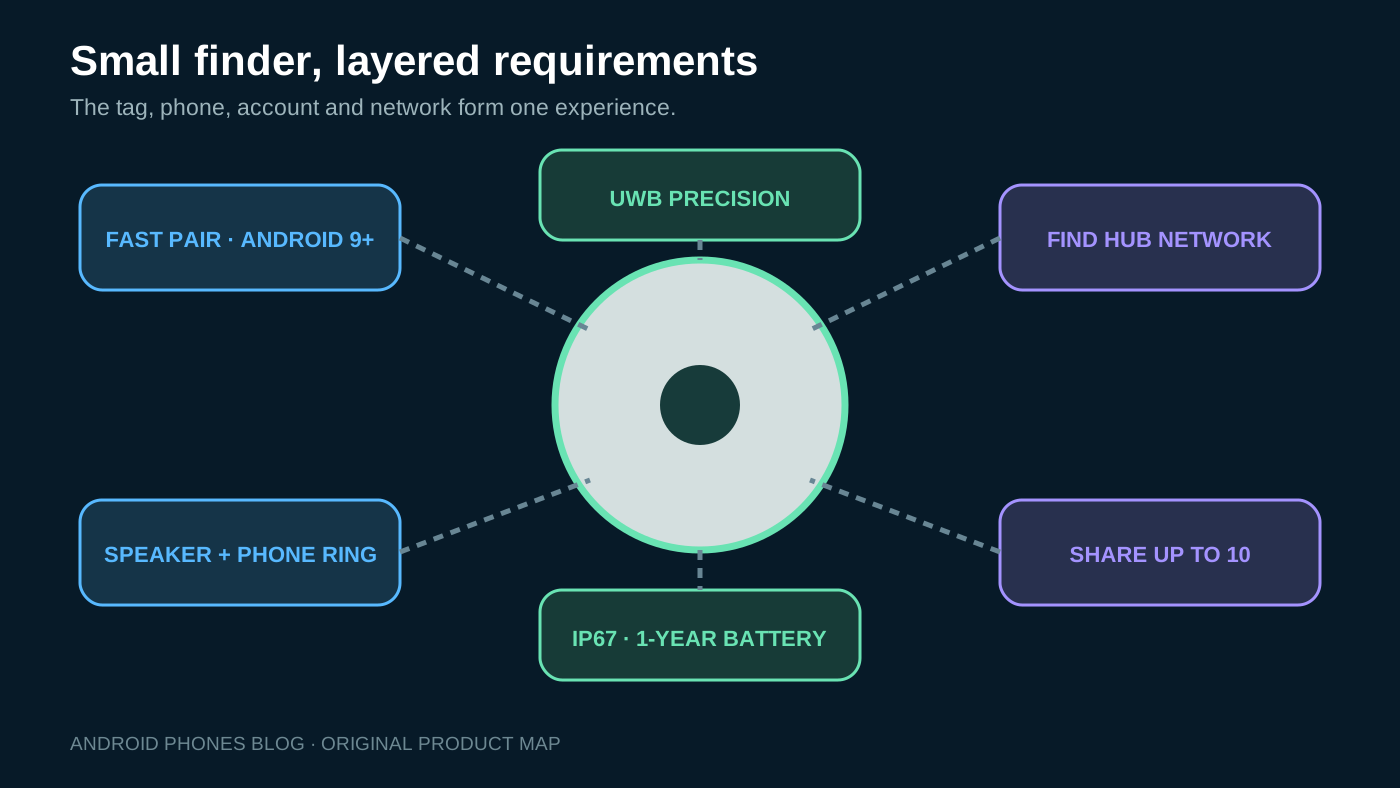
Pixel Tag is Google’s first finder tag, announced with the Pixel 11 family on August 12, 2026. Attach it to an item, pair it through Fast Pair and manage it in the Find Hub app. When the item is nearby, the tag can play a sound. When it is farther away, Find Hub can use detections from a crowdsourced network of more than one billion Android devices.
Google built the tag from stainless steel and lists IP67 dust and water resistance. Its button can work in reverse to ring a paired phone. The battery is user-replaceable and rated for up to one year under Google’s test conditions.
The product reaches shelves on November 11, so this October 8 assessment should be treated as pre-launch evaluation. Final regional availability, packaging, warranty, battery type, accessories and channel pricing need confirmation at the time of order.
| Official launch detail | Pixel Tag |
|---|---|
| Announced | August 12, 2026 |
| U.S. availability | November 11, 2026 |
| Announced U.S. price | $29 single; $99 four-pack |
| Phone baseline | Android 9+ and Bluetooth 6.0+ |
| Setup | Fast Pair + Find Hub |
| Nearby finding | Bluetooth sound; precision guidance with compatible UWB phone |
| Remote finding | Crowdsourced Find Hub network |
| Sharing | Up to 10 people |
| Resistance | IP67 when new under test conditions |
| Battery | User-replaceable; up to one year claimed |
How does Pixel Tag find an item?
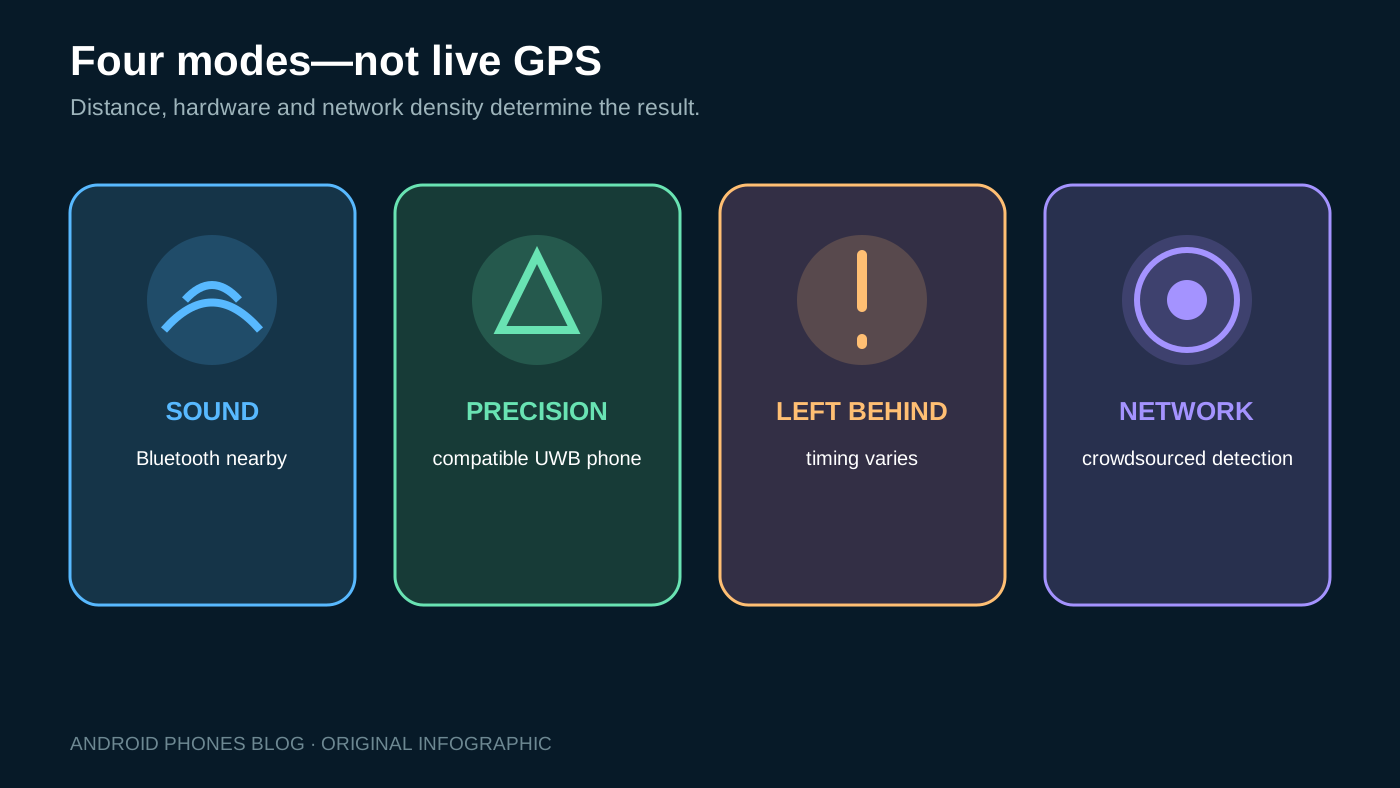
Pixel Tag combines several finding modes. They should not be described as one continuous real-time location feed.
- Fast Pair setup: Pull the battery tab and bring the tag near a compatible Android phone. The item appears in Find Hub after pairing.
- Nearby sound: Within Bluetooth range, command the built-in speaker to ring.
- Precision finding: With compatible UWB hardware enabled, Find Hub can show distance and directional guidance.
- Network finding: When the owner is not nearby, participating Android devices can detect the tag and contribute encrypted location information.
- Left Behind alerts: An enabled alert can warn when the item appears to have been left behind; timing depends on connectivity and settings.
- Reverse finding: Press the tag’s button to ring the paired phone.
Network location is opportunistic. A tag in a busy airport may be detected more often than one in an isolated storage yard. The most recent report is not proof of the item’s current location, custody or condition.
For the evolution from device-only location to crowdsourced offline finding, read our Find My Device network history and privacy guide. The older Android Device Manager guide explains the phone-finding foundation on which the modern service developed.
Which Android phones support Pixel Tag?
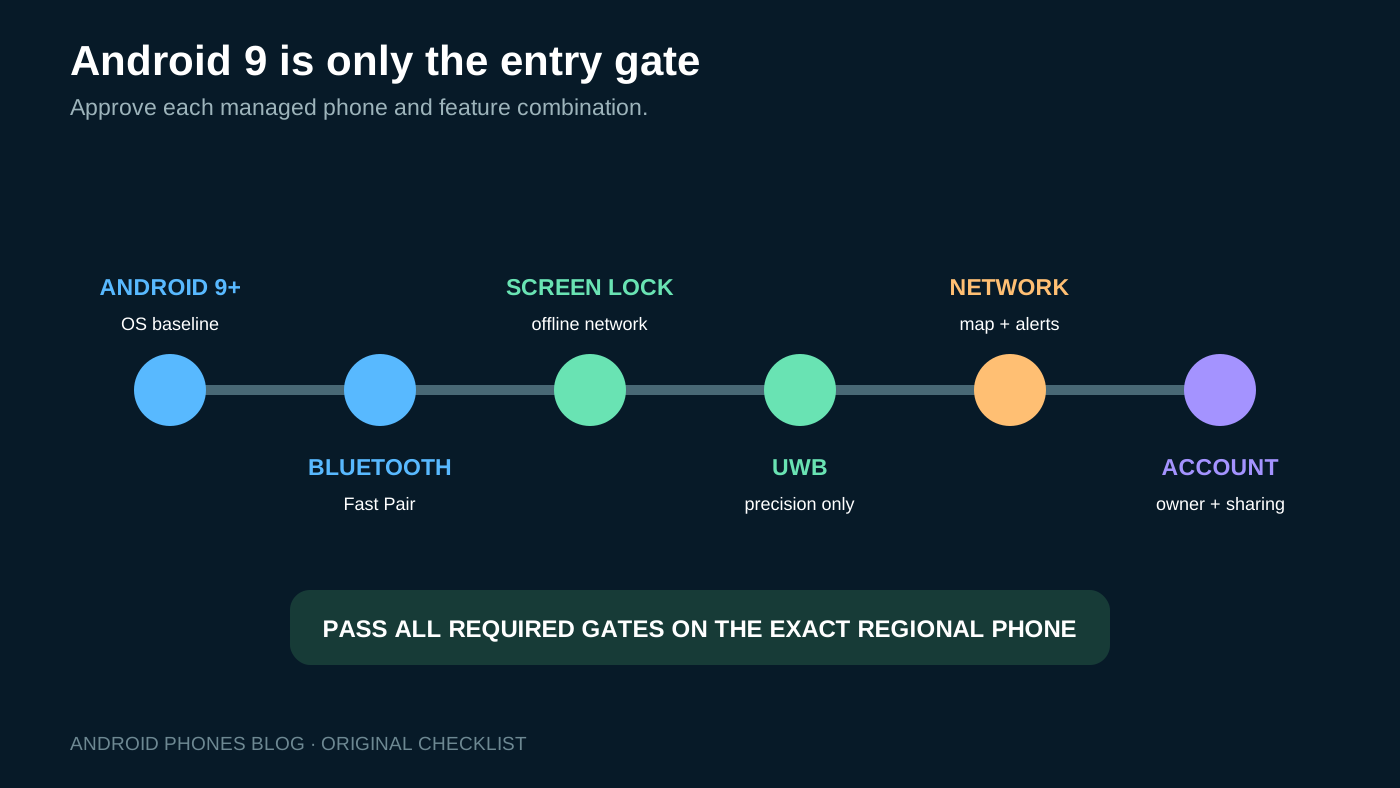
Google’s announcement footnote 1 requires a compatible device with Android 9.0+ and Bluetooth 6.0+. Footnote 5 separately requires compatible UWB for precision finding. An older Android 9+ phone is pending trial, not approved from its OS version alone.
Use a compatibility matrix:
| Requirement | Needed for | What to verify |
|---|---|---|
| Android 9+ | Pairing and general use | OS, Google services and Find Hub availability |
| Bluetooth 6.0+ and Fast Pair | Setup and nearby connection | Bluetooth policy, work profile and service version |
| Screen lock | Best offline network experience | PIN, pattern or password is configured |
| UWB-capable phone | Directional precision finding | Hardware support, regional enablement and setting |
| Connectivity | Current map and alerts | Mobile/Wi-Fi access, background restrictions |
| Google Account | Ownership and sharing | Approved account type and offboarding process |
Google’s announcement footnotes also reference Bluetooth 6.0+ for the compatible-device experience, while precision finding specifically requires a compatible UWB Android device. Do not approve a mixed fleet from the phrase “Android 9+.” Test each managed phone model and OS build.
Do not assume a Pixel model name establishes UWB support or tag compatibility. Our Pixel 11 buyer guide can help select the phone tier, but the tag trial should still verify the exact regional model.
Is Pixel Tag suitable for business assets?
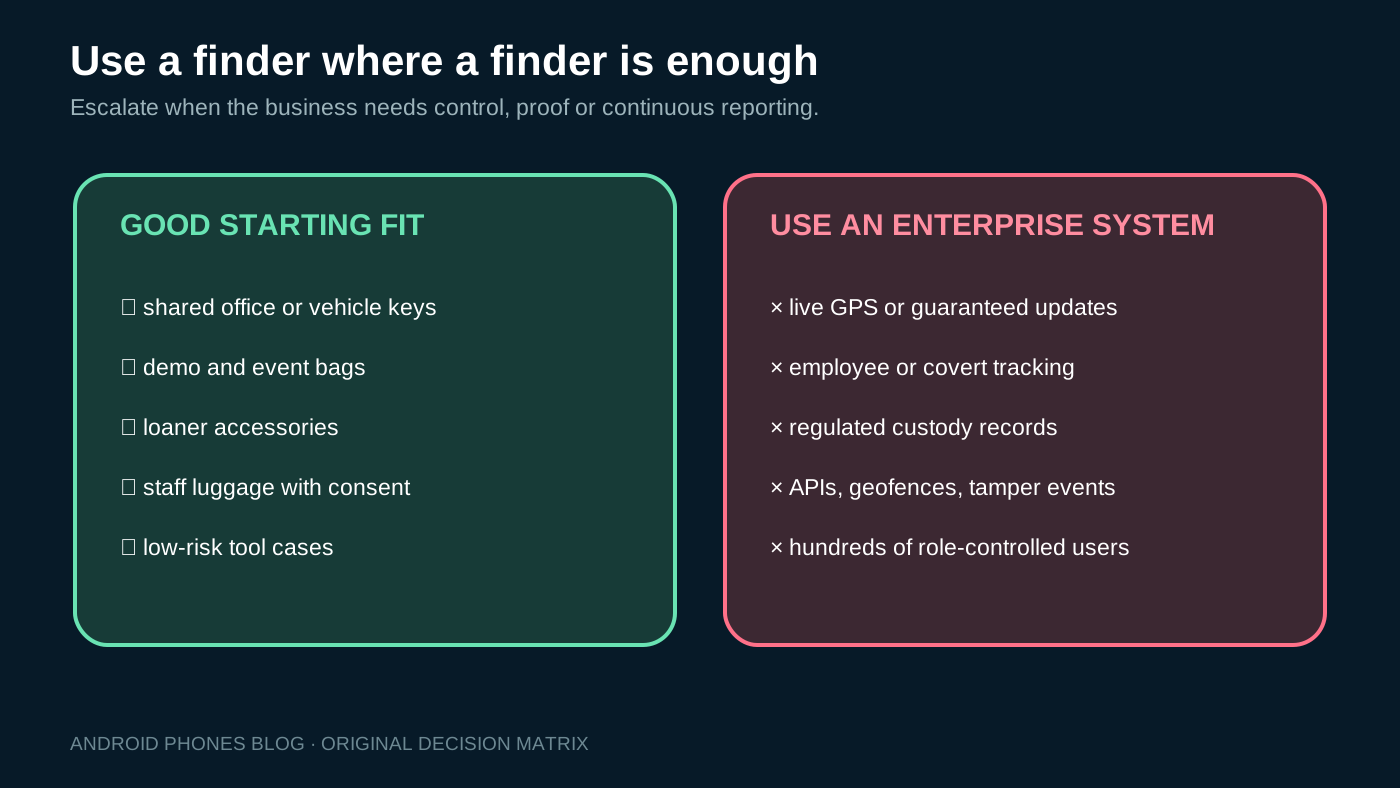
It can be useful for low-risk, human-carried items where a small group needs help finding something misplaced:
- Shared office, cabinet or vehicle keys.
- Demo bags and sales-event kits.
- Loaner accessories and presentation equipment.
- Staff luggage during approved business travel.
- Tool cases that are usually within a populated Android environment.
It is a poor substitute for a purpose-built system when the organization needs guaranteed reporting, real-time GPS, tamper sensing, audit logs, APIs, geofencing, custody signatures, regulated records or a central administrator with hundreds of assets.
The ten-person sharing limit is convenient for a small group, not enterprise role-based access control. Ownership is attached to a Google Account, which creates offboarding and recovery questions. Find Hub detects location; it does not prove who possesses the item, whether it is moving for an authorized reason or whether its contents are intact.
Google also says tracker tags should not be used to track pets or locate stolen items. Its acceptable-use policy prohibits using a tag to obtain information about another person through placement without their knowledge and consent. Businesses should therefore define the item purpose and authorized users before pairing.
How does Find Hub protect location data?
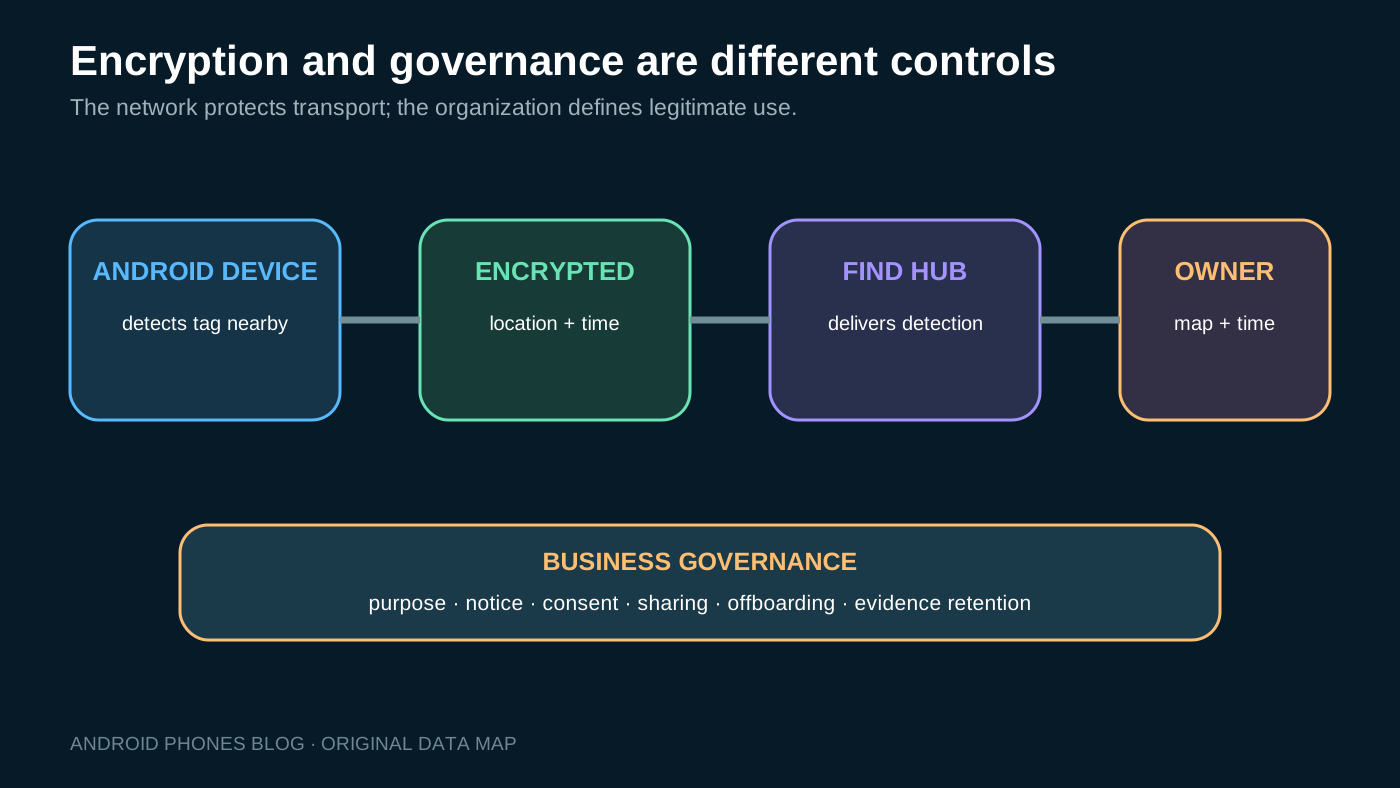
Google says the Find Hub network uses end-to-end encrypted location information. Participating devices can report that they detected an item without Google being able to identify the reporting user from that contribution. The item owner receives the detection location and approximate time, not information about the device that reported it.
The network also processes temporary identifiers, detection and request timestamps, and information about paired or shared Fast Pair accessories for operation and anti-abuse protections. A screen lock enables the strongest offline network experience because recent locations are protected with a key tied to the user’s unlock credential.
Privacy design does not eliminate organizational obligations. A company should document:
- Who owns the Google Account and tag.
- Which people can view it and why.
- What item is tagged and whether it is commonly carried by an employee.
- How staff are notified and how consent is handled.
- When sharing is removed and the tag is reset.
- How location screenshots, support records and incident evidence are retained.
If a tag is attached to a work bag, its location can reveal the carrier’s movements. Treat that as a people-privacy issue even if the stated purpose is locating company property. Our Android 17 precise-location guide provides broader context on minimizing location access and explaining why precision is necessary.
What do unknown-tracker alerts do?
Android can warn a user when an unknown compatible tracker appears to be moving with them after separation from its owner. The alert can display where the tracker was detected, play a sound and provide steps to identify or disable it. Google’s help says automated unknown-tracker detection is available on Android 6 and newer, with a manual scan also available.
For the alert calculation, location, timestamps and the tracker’s device identifier are processed and temporarily stored in encrypted form on the phone. Google says this data does not leave the device for that determination.
These controls are important safeguards, not permission to deploy tags secretly. Alerts can create employee concern, operational disruption or law-enforcement escalation if staff were not informed. Put the tag’s purpose, owner and support contact on the physical item where appropriate, and train help-desk staff to distinguish an approved shared tag from a suspected unwanted tracker.
If a user feels unsafe, safety takes priority over asset recovery. Follow the device instructions and local policy; do not ask an employee to continue carrying a suspected tracker for the sake of diagnosis.
What are the durability and battery limits?
Google lists IP67, but states the tag is not waterproof or dustproof and that resistance can diminish through wear, repair, disassembly or damage. Liquid damage voids the warranty under Google’s published caveat. A tag on outdoor equipment still needs an attachment and exposure review.
The advertised battery life is up to one year, based on preproduction testing with average sound and precision-finding use. Create a replacement interval shorter than the maximum if the item is important. Record the installation date, test sound and connection during inspections, and standardize approved replacement cells.
A replaceable battery lowers lifecycle waste and downtime, but introduces small-part inventory, polarity, seal and quality risks. After replacement, verify closure, sound, Find Hub connection and location. Do not assume the IP rating remains unchanged after damage or improper reassembly.
How should a small team deploy Pixel Tags?
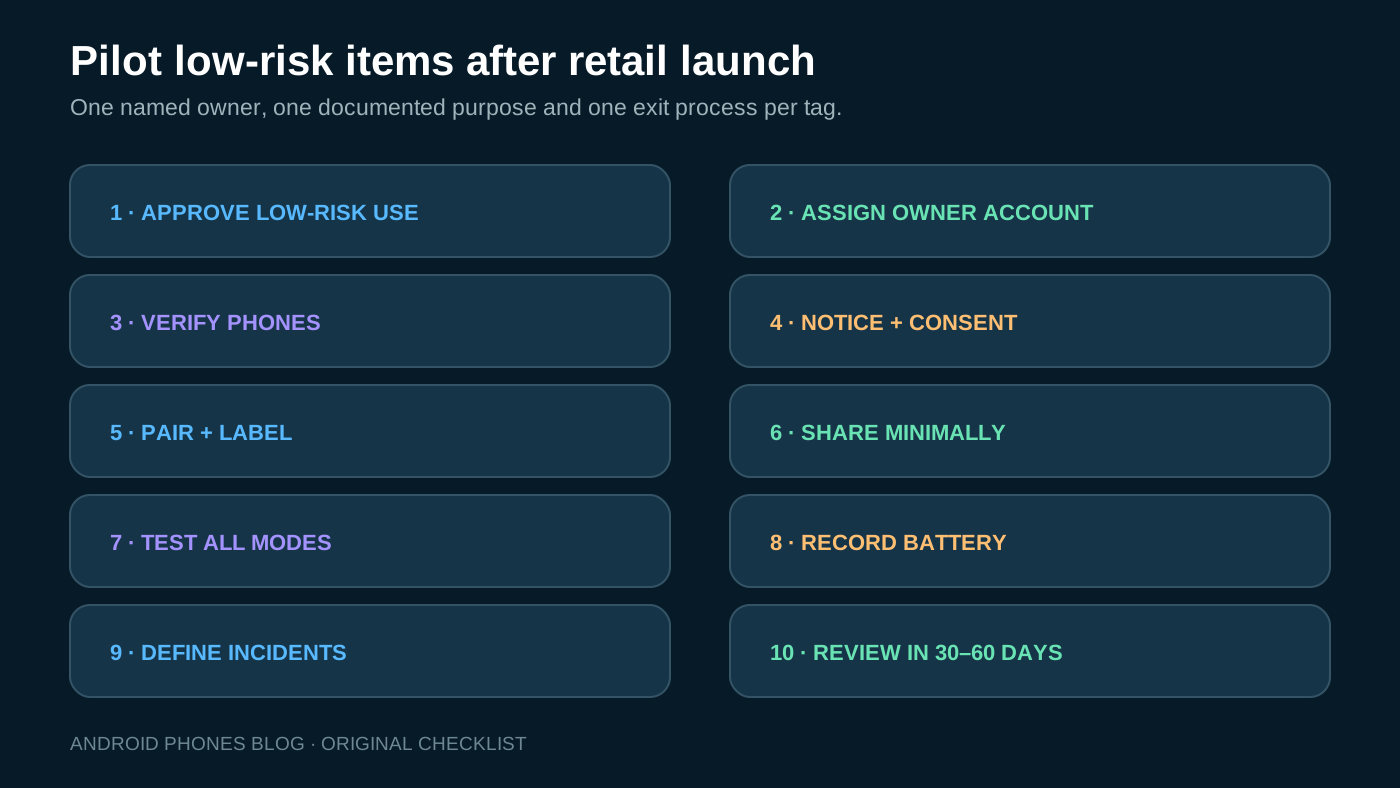
Begin with a narrow pilot after retail availability.
- Choose low-risk items with a clear “misplaced, not stolen” use case.
- Assign a company-controlled owner account and recovery method.
- Confirm every viewer has an approved compatible Android device.
- Document the item’s carrier, privacy notice and consent process.
- Pair through Fast Pair and apply a consistent name and physical asset label.
- Share only with the required group, up to Google’s ten-person limit.
- Test nearby sound, network detection, UWB precision and left-behind alerts.
- Record battery installation and inspection dates.
- Define offboarding, lost-tag, unknown-alert and reset procedures.
- Review after 30–60 days for detection usefulness, false alerts and support load.
Avoid embedding tags permanently before testing radio performance and battery access. Metal cases, dense equipment, vehicle construction and storage location can affect detection.
What should a Pixel Tag purchase order include?
The announced four-pack reduces the U.S. unit price from $29 to $24.75 before tax, but hardware price is only part of the deployment.
| Purchase field | Specify |
|---|---|
| Region and availability | Authorized channel, November 11 launch or later, warranty market |
| Quantity and packaging | Singles/four-packs, sealed condition, batch records |
| Attachment | Key ring, holder, adhesive or enclosure approved for the item |
| Battery | Installed type, spare specification and replacement schedule |
| Phone compatibility | Approved Android models, OS and UWB requirement |
| Account ownership | Company account, recovery, sharing and offboarding |
| Labeling | Asset ID, approved purpose and support contact |
| Acceptance | Pair, ring, locate, precision test where supported |
If the project requires APIs, central dashboards, cellular GPS, tamper events, geofences or hundreds of role-controlled users, stop the Pixel Tag purchase and evaluate an enterprise tracking platform. Buying more consumer tags will not create missing management features.
Final recommendation
From the announcement, Pixel Tag is a candidate for low-risk shared-item finding if every phone, account and privacy gate is met. Its practical detection behavior and managed-account compatibility remain to be tested after retail availability.
Do not deploy it as a covert employee tracker, real-time GPS unit or substitute for enterprise asset management. Recheck on or after the announced November 11, 2026 launch, then pilot exact phone compatibility and place account ownership, consent, battery maintenance and incident handling around the hardware from day one.
Review record — October 8, 2026: Rechecked announcement footnotes 1 and 5, paired Android/Bluetooth requirements in the summary, table and FAQ, and qualified the recommendation as prelaunch. Review trigger: November 11 retail availability or any earlier official change; verify final compatibility, availability and pilot results.