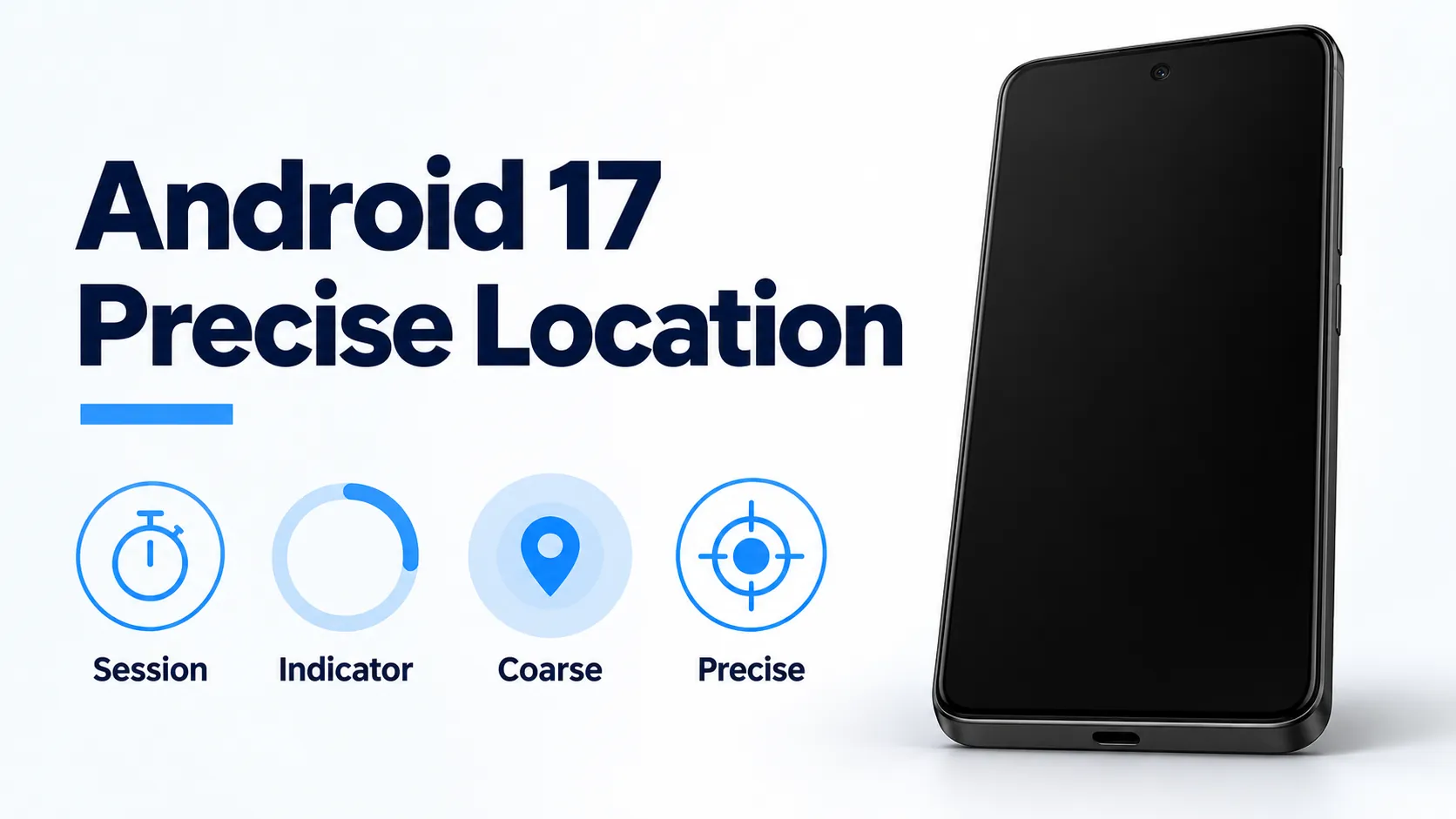
A one-time store search that keeps precise location after you leave the screen, and a coarse cell that stays the same size in a sparse area, are the two leaks these Android 17 controls are built to close.
Android 17 precise location controls are a session location button, a persistent indicator when a non-system app uses location, a coarse grid that grows where population density is lower, and a permission dialog that separates Precise and Approximate. Robert Clifford, Developer Relations Engineer, and Manjeet Rulhania, Software Engineer, posted that set on 26 March 2026 and give the previous coarse grid as 2 km wide. Matthew McCullough’s 16 June 2026 release post says Android 17 reached most supported Pixel phones that day, and that a system-rendered button embedded in an app grants precise location for the current session only. The location-button guide, last updated 8 September 2026, still marks the Jetpack library experimental. Play Console Help, fetched 18 October 2026, dates the location-button policy change to 27 January 2027. The Android history timeline places this release after Android 16.
| Input or item | Value and source | Why it matters |
|---|---|---|
| Announcement | 26 March 2026, Clifford and Rulhania | Button, indicator, coarse grid, and dialog |
| Previous coarse grid | Static 2 km wide, same post | A 2 km square in a low-population area could often contain only a handful of users |
| Replacement cell | Sized from local population density, larger where density is lower | That post prints no new width |
| Platform release | 16 June 2026, most supported Pixels, McCullough | The button is something the app embeds |
| Guide status | Last updated 8 September 2026 | Jetpack library marked experimental |
| Play change date | 27 January 2027, current Play Console Help | The button sentence sits in the coming-changes notice |
Which date applies to which control?
Clifford and Rulhania’s 26 March 2026 post introduces the four controls and says they were available for testing in Android 17 Beta 3. McCullough’s 16 June 2026 post says Android 17 was released that day on most supported Pixel devices, with new devices running it in the coming months. In that post the location sentence is one line: a system-rendered location button that you can embed in your app grants precise location for the current session only. The indicator, the 2 km grid, and the dialog redesign stay on the March page.
Whether a particular Pixel has that build is a rollout question. Which Pixel phones received the Android 17 stable rollout is the device list and the staged-update path. An app still has to place the button. The June sentence says you can embed it.
What does a tap on the location button grant?
The March post reserves the button for one-time precise use. Finding a nearby shop or tagging a social post is the pair of examples there. Permanent or background access to precise location is the access those tasks can skip. The decision sits at the tap. Once consent is in place, session access removes repeated prompts for location-dependent features in that session.
The location-button guide, last updated 8 September 2026, calls it a customizable system UI element for session-scoped precise location, started by a direct user action. It names the friction it cuts: repetitive temporary “only this time” grants. The use cases on that page are a “search near me” lookup for hotels, stores, or restaurants, sharing the current location once, a check-in or location tag, and auto-filling a delivery address.
The March post lists the visual edits: background and icon color scheme, outline, size and shape, and a text label from a predefined list. The location icon stays mandatory and non-customizable. Font size stays system-managed. The September guide’s prose examples of labels are “Use precise location” and “Share precise location.” Its sample comment also names Precise location, Near my precise location, and an icon-only option.
The same guide’s manifest sample declares ACCESS_COARSE_LOCATION, ACCESS_FINE_LOCATION, and USE_LOCATION_BUTTON. The USE_LOCATION_BUTTON line is the permission the page marks as required for the system’s remote rendering. An optional onlyForLocationButton flag on ACCESS_FINE_LOCATION is described in that sample’s note: the flag limits precise location to the button.
The guide’s note calls the Jetpack library experimental and subject to change. On Android 16 or lower, that page says the library falls back to a locally rendered component that keeps the customized layout and opens the standard location permission prompt. The March post had already said a tap on Android 16 or below defaults to the existing location prompt.
Bennet Manuel’s 15 April 2026 post describes the button as a single tap that replaces complex permission dialogs. The September sample callback is written for a tap and a decision on the permission dialog. Keep those two sentences on their own dates.
Which path fits the task?
Rule of thumb: If precise location is only for one user-initiated action, and the app targets Android 17 (API 37) with location features that are all session-based, the 8 September 2026 guide says Google Play requires the location button. If the fix has to continue while the app is in use, the current Play location section still describes foreground access that starts from an in-app action and ends when that use case is finished. Android 10’s while-in-use location choice is that longer window. If the fix has to run with the app closed, the same Play section keeps background location for a core function.
| Access | What the saved page says | Dominant failure mode | Prevention |
|---|---|---|---|
| Approximate | Density-based on Android 17; old grid 2 km wide | Storing 2 km as the new cell width | The March post prints 2 km for the previous grid |
| Location button | Session precise, after a tap, and the app embeds it | Expecting the button in every app on 16 June | McCullough says the app embeds it |
| Only this time | The guide contrasts the button with repetitive temporary grants | Folding the button into that dialog | The September page treats them as separate flows |
| Foreground | While in use, from an in-app action, ended when the use case finishes | A turn-by-turn trip forced onto the session button | The current Play page’s foreground sentence |
| Background | Core function, separate from the button | A session grant left running with the app closed | Background stays its own requirement |
What do the Play pages require, and from which date?
Manuel’s 15 April 2026 post says Play is updating its policy to require the button for one-time precise location, with an exception for apps that require persistent, always-on location. For an app that targets Android 17 and above and uses precise location for discrete, temporary actions, that post says to add the onlyForLocationButton flag. Persistent precise location, on that page, needs a Play Developer Declaration, and the form was described as available before October.
The current Play Console Help article, Permissions and APIs that Access Sensitive Information, was fetched on 18 October 2026. A request for the older answer id 9888170 landed on this article. Its coming-changes notice introduces the location button as the recommended minimum scope for precise location, effective 27 January 2027. The location paragraph already on that page says apps should request the minimum scope necessary, coarse instead of fine and foreground instead of background, and that users should reasonably expect the feature to need that level. Background location on that page is for features that benefit the user and sit in the app’s core functionality. A foreground service is allowed when the use continues an in-app user action and ends when that use case is finished.
The preview of that article, fetched the same day, carries the longer SDK 37 wording. For apps targeting Android SDK 37, if precise location is only for one-time, user-initiated actions, the preview says you must implement the location button and the onlyForLocationButton flag. Eligibility for ACCESS_FINE_LOCATION is extended where the declared features cannot be supported by the button, for apps targeting Android 17 or higher, or by ACCESS_COARSE_LOCATION on any Android version.
The September guide’s condition is narrower than that preview sentence: the app targets API 37 or later, and it only contains features that require session-based location access to function. The January 27, 2027 location deadline is the on-site page that lines those dates up. A date printed on a help page is that page’s date.
What does the indicator show?
The March post aligns location transparency with the microphone and camera indicators. A persistent indicator appears whenever a non-system app accesses location. A tap shows which apps have recently accessed location, and permissions are managed from a Recent app use dialog. The post leaves “recently” without an hour count. System apps sit outside the “non-system app” sentence.
What replaced the 2 km grid?
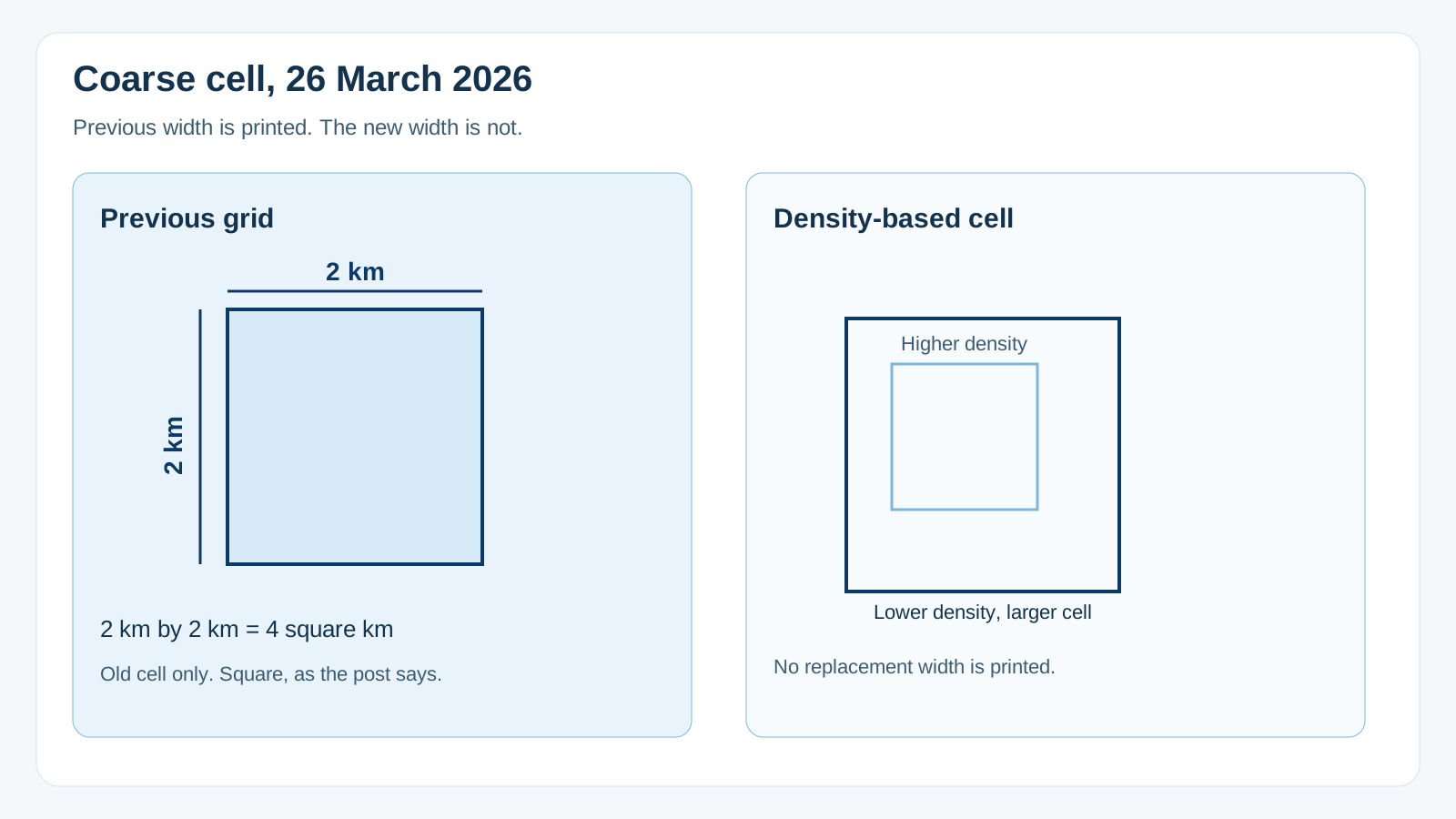
The March post says coarse location previously used a static 2 km-wide grid. In a low-population area, it says that grid may not be sufficiently private, because a 2 km square could often contain only a handful of users. Android 17 replaces the fixed grid with a dynamically sized area based on local population density. The grid grows where density is lower, across the range the post names, from dense urban centers to remote regions.
Worked example. Cell area = 2 km × 2 km. That product is 4 square kilometres, and it describes the old cell the post calls a 2 km square. The enlarged cell has no printed side, so this product stops at the old grid.
The same March post keeps a runtime permission dialog in which the user decides the granularity and the length of access. The redesign makes Precise and Approximate more visually distinct and points the user at the level that suits the task. Length of access remains part of the decision that post describes.
On the phone, look for a system location button only in an app that has embedded one. If the indicator is up, the March post’s tap path is Recent app use, for a non-system app. Choose Approximate when the feature can work from a coarse area, and keep the 2 km figure attached to the previous grid. Review background access for an app whose current task has finished, against the core-function line on the current Play page.
How this page was checked
The four controls, the 2 km grid, the handful-of-users line, the indicator, and the Precise versus Approximate dialog come from Clifford and Rulhania’s 26 March 2026 post. The 16 June 2026 Pixel release and the embeddable session button come from McCullough’s post that day. The single-tap policy sentence, the onlyForLocationButton instruction, and the “before October” declaration form come from Manuel’s 15 April 2026 post. The experimental Jetpack note, the Android 16 fallback, the use-case list, the label examples, and the “only session-based features” Play sentence come from the location-button guide last updated 8 September 2026. The 27 January 2027 date and the in-force minimum-scope paragraph come from Play Console Help answer 16558241, fetched 18 October 2026 after a redirect from answer 9888170. The SDK 37 “must implement” sentence comes from the preview article, answer 16909972, fetched the same day. This page reports no handset measurement and no replacement coarse radius.