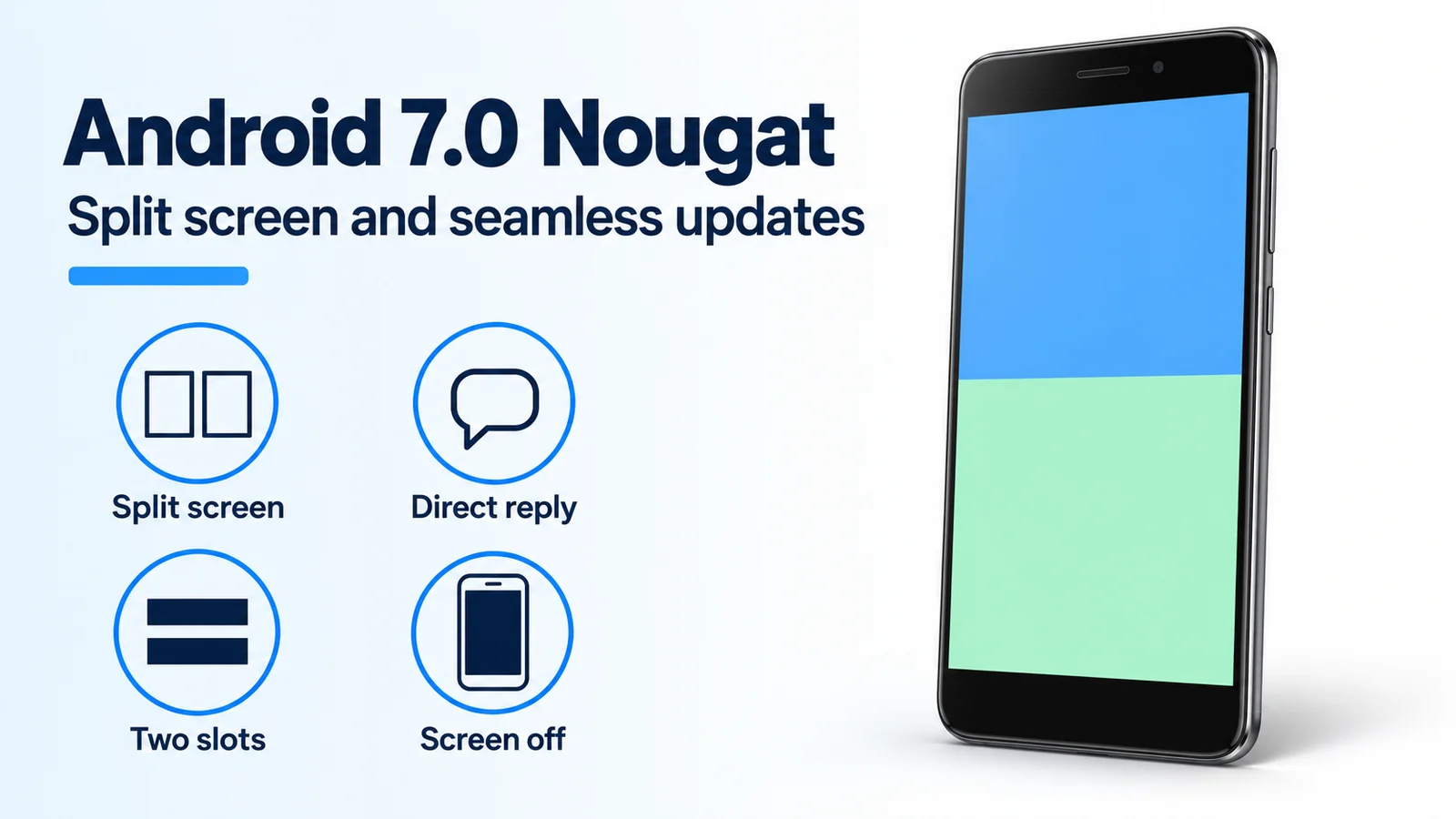
A failed update write is downtime, because a phone with one system copy has nothing else to boot. Android 7.0 Nougat, which Google began rolling out to Nexus devices on August 22, 2016, adds split-screen multitasking and, on new devices, writes the update to a second slot while the current system keeps running.
Android 7.0 Nougat is the August 22, 2016 release that puts two apps on one screen, takes a short reply inside a messaging notification, and keeps seamless background updates for new devices. On phones and tablets the apps sit side by side or one above the other, and you resize them by dragging the divider. An app can set a minimum size or turn multi-window off and stay full screen. Direct reply is for real-time communication apps, so you can answer an SMS or text without opening the app. A double tap of the Overview button switches between the two most recent apps. Google’s launch post gives background installs to new Android devices with Nougat. The Nexus 6, Nexus 5X, Nexus 6P, Nexus 9, Nexus Player, Pixel C, and General Mobile 4G on that day’s list were told to expect a faster install.
| Change | What Google documented | Dominant failure mode | What prevents the miss |
|---|---|---|---|
| Split screen | Two apps, side by side or stacked; drag the divider | The app disables multi-window, or its minimum size blocks the layout you want | Use an app that allows resizing. Android TV uses picture-in-picture instead |
| Direct reply | Inline SMS or text reply inside the notification, for real-time messaging apps | The app never supplies that reply action, so the shade only shows the alert | Expect it on messaging notifications, not on every alert |
| Seamless update | New Nougat devices install in the background onto the unused slot | Reading “Android 7.0” on a 2016 Nexus as proof of a second slot | Those named devices got a faster single-copy install |
| Doze on the go | Screen off and unplugged: network, jobs, and syncs wait, even while you walk | Expecting full wake-lock, alarm, GPS, and Wi-Fi limits at the first screen-off | Those fuller limits wait until the phone is also stationary |
Split screen on phones and tablets
On an Android 7.0 phone or tablet, two apps can share the screen side by side or one above the other. You change the split by dragging the divider. The Android 7.0 feature page also lets an app declare a minimum size, so the divider will not shrink it further, and lets an app turn multi-window off so the system keeps that app full screen.
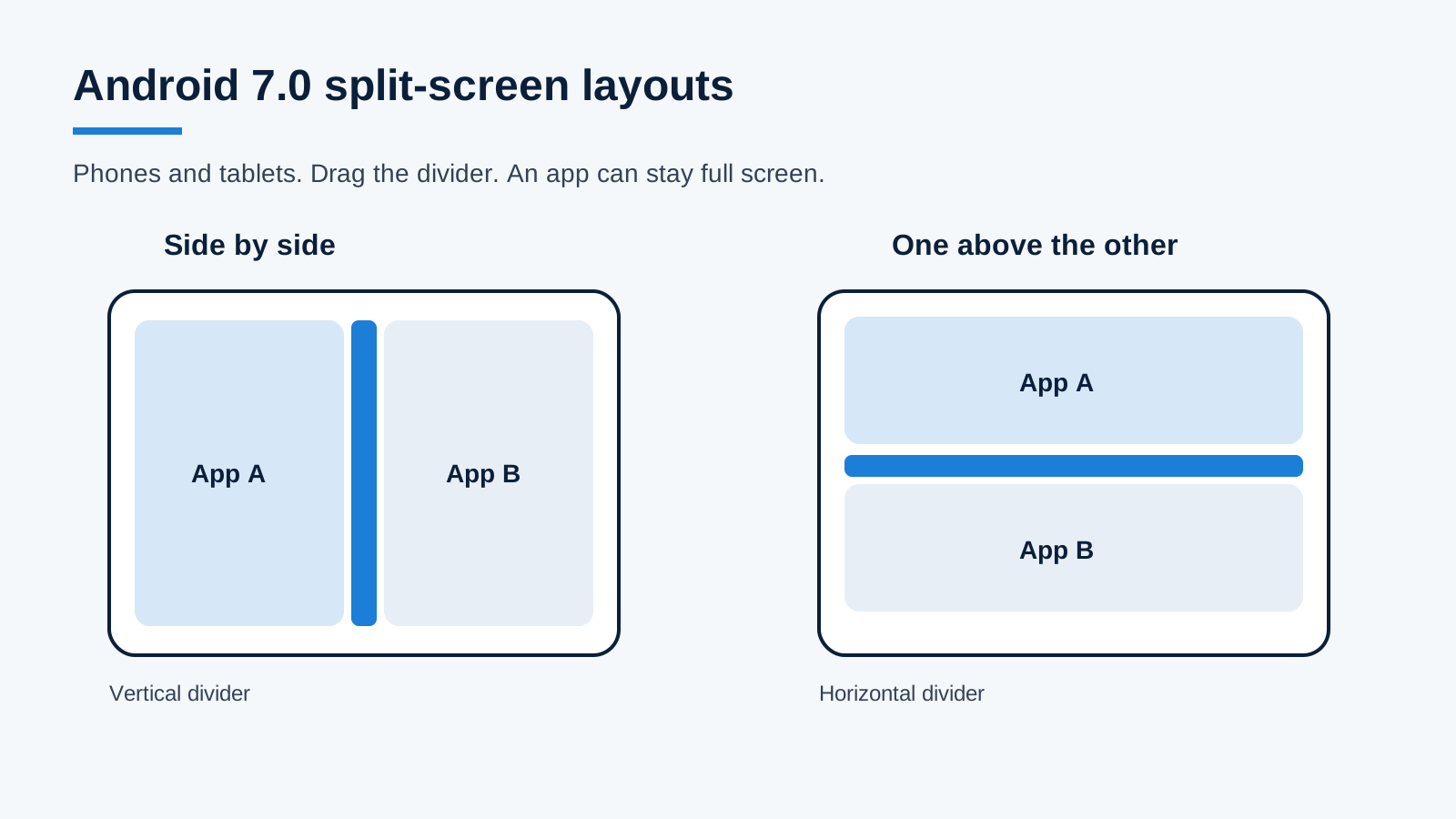
Layouts from the Android 7.0 feature page: side by side, or one above the other. Dragging the divider resizes the pair. An app can refuse and stay full screen.
The August 22, 2016 announcement and that feature page describe the layout and the divider. They do not name the control that opens split screen, so this page does not add a button sequence. Picture-in-picture is a separate Android TV behavior: the app puts itself in that mode and keeps showing content while you use another app. Drag-and-drop between the two panes is also something the app has to enable.
Quick switch is the gesture Google did spell out. Double-tap the Overview button to move between the two most recent apps.
Direct reply inside a notification
Direct reply is an inline answer for real-time communication apps. You respond to an SMS or text in the notification itself. The same Android 7.0 notification work lets the system bundle messages, for example by topic, and act on the group in place. Google’s examples of those group actions are Dismiss and Archive.
A reply field shows up when the messaging app provides it. A calendar alert or a download notice does not gain a text box from the platform alone. Developers can also set the message, the conversation title, and the content view through MessagingStyle. That is why one app’s shade entry can name the thread and another still looks like a plain alert.
Seamless updates versus a faster Nexus install
Google’s August 22, 2016 Nougat announcement draws a hard line. New Android devices with Nougat can install an update in the background, so you are not waiting while the device installs the build and optimizes apps. For people already on a Nexus, the same post says software updates install much faster, and you should not have to wait minutes while the device reboots. The OTA that day, and over the following weeks, covered the Nexus 6, Nexus 5X, Nexus 6P, Nexus 9, Nexus Player, Pixel C, and General Mobile 4G (Android One), plus devices already in the Android Beta Program. Google said the Nexus and Pixel C rollout was staged, and some carriers would get it later.
The faster Nexus path lines up with a platform change on the Android 7.0 feature page, not with a second partition. Android 7.0 adds a just-in-time compiler with profiling beside ART’s ahead-of-time compiler. Google says large apps that needed several minutes to optimize and install on Android 6.0 can install in seconds, and system updates are faster because that optimizing step is gone.
Rule of thumb. If the phone is on that August 22, 2016 OTA list, treat seamless A/B updates as unavailable on that hardware. Google specified background installs for new Android devices with Nougat, and a faster conventional install for current Nexus owners.
New devices that implement legacy A/B use two slots. The phone runs from the current slot. update_engine writes the unused slot while you keep using the phone. After a successful apply, the bootloader starts the updated slot on the next reboot. If that slot does not boot, the bootloader returns to the previous bootable slot. The AOSP page states the only downtime is that reboot, and that a reboot after the update should take no longer than a regular reboot. A bad flash affects the unused slot, so the running system stays in place. The same page says A/B updates through OTA are recommended for new devices only, and that Virtual A/B replaced this legacy design in Android 10. The slot diagram below is the legacy design, which is the one Nougat’s “new devices” sentence points at.
Worked example. The phone is running slot A, so the unused slot is B.
next_boot_slot = unused_slot after update_engine reports success.
If slot B then fails to boot, active_slot = previous_bootable_slot, which is A.
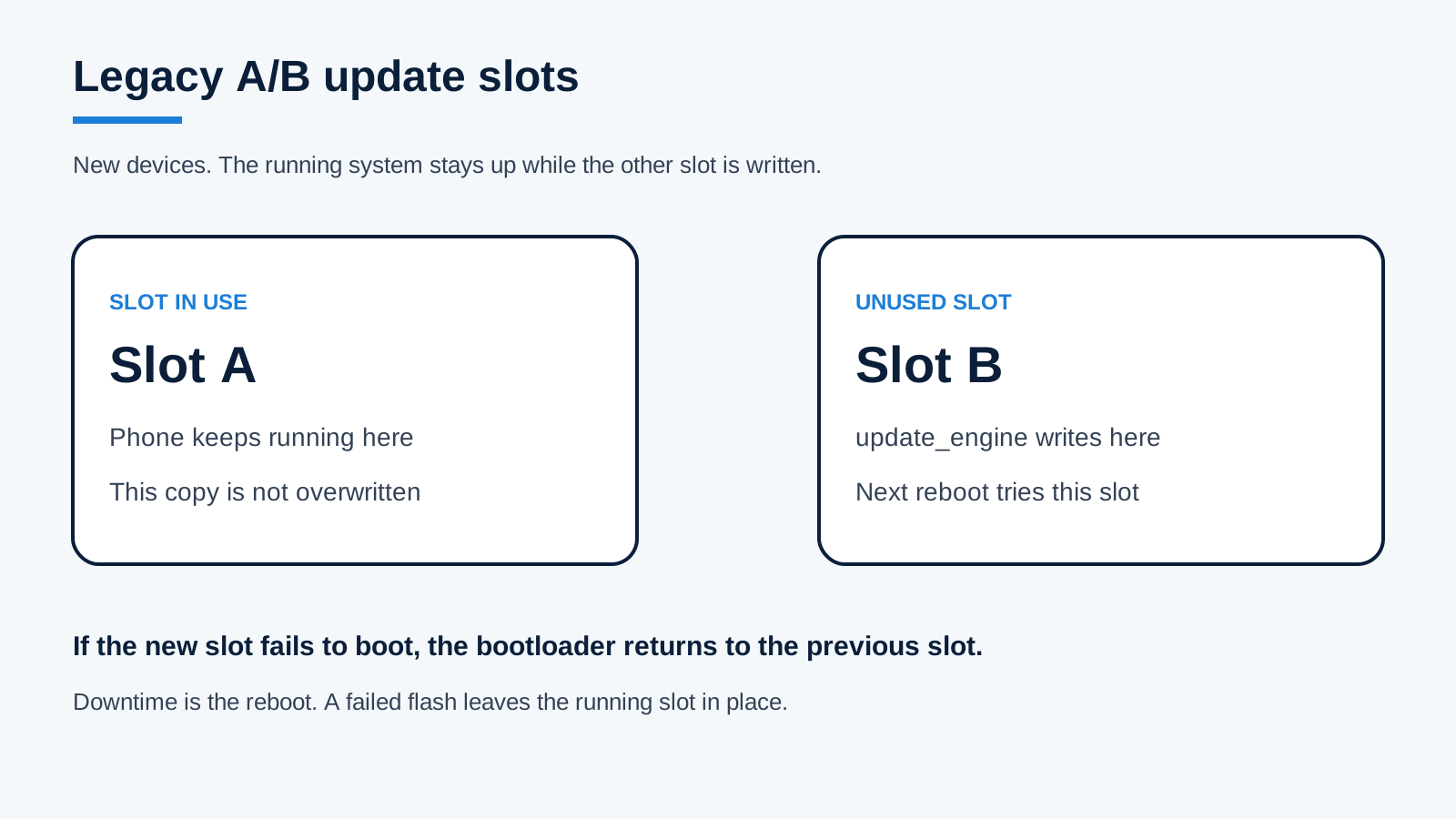
Legacy A/B, as described on the AOSP seamless-update page: write the unused slot, reboot into it, and fall back if that boot fails.
As of the August 22, 2016 post, the upcoming LG V20 was the first new smartphone that would ship with Android Nougat. The post does not say the V20 used A/B slots. Shipping with Nougat and having two system slots are separate facts.
Google grouped file-based encryption and Direct Boot with seamless updates as features for new devices coming that fall. The September 6, 2016 security post explains the mechanism: system storage and each user profile are encrypted separately, instead of one full-disk blob. The phone app and the alarm can run before you enter a PIN, if those apps opt into that limited state. Your profile data stays locked until the credential is entered. The same post says new capable Android devices must store those keys in hardware and apply brute-force protection before the keys can be used. It also says Nougat split mediaserver into separate sandboxes and stopped the process when an integer overflow was detected.
Doze while the phone is moving
Android 6.0 Doze deferred CPU and network work when a phone was unplugged, still, and the screen was off. Android 6.0 Marshmallow’s permissions, stationary Doze, and fingerprint support is the prior behavior. Android 7.0 adds a first, smaller set of limits when the screen is off and the phone is unplugged, even if you are carrying it. A short time after the screen goes off on battery, the system cuts network access and defers jobs and syncs. Brief maintenance windows let apps reach the network and run the deferred work. Turning the screen on, or plugging the phone in, leaves Doze.
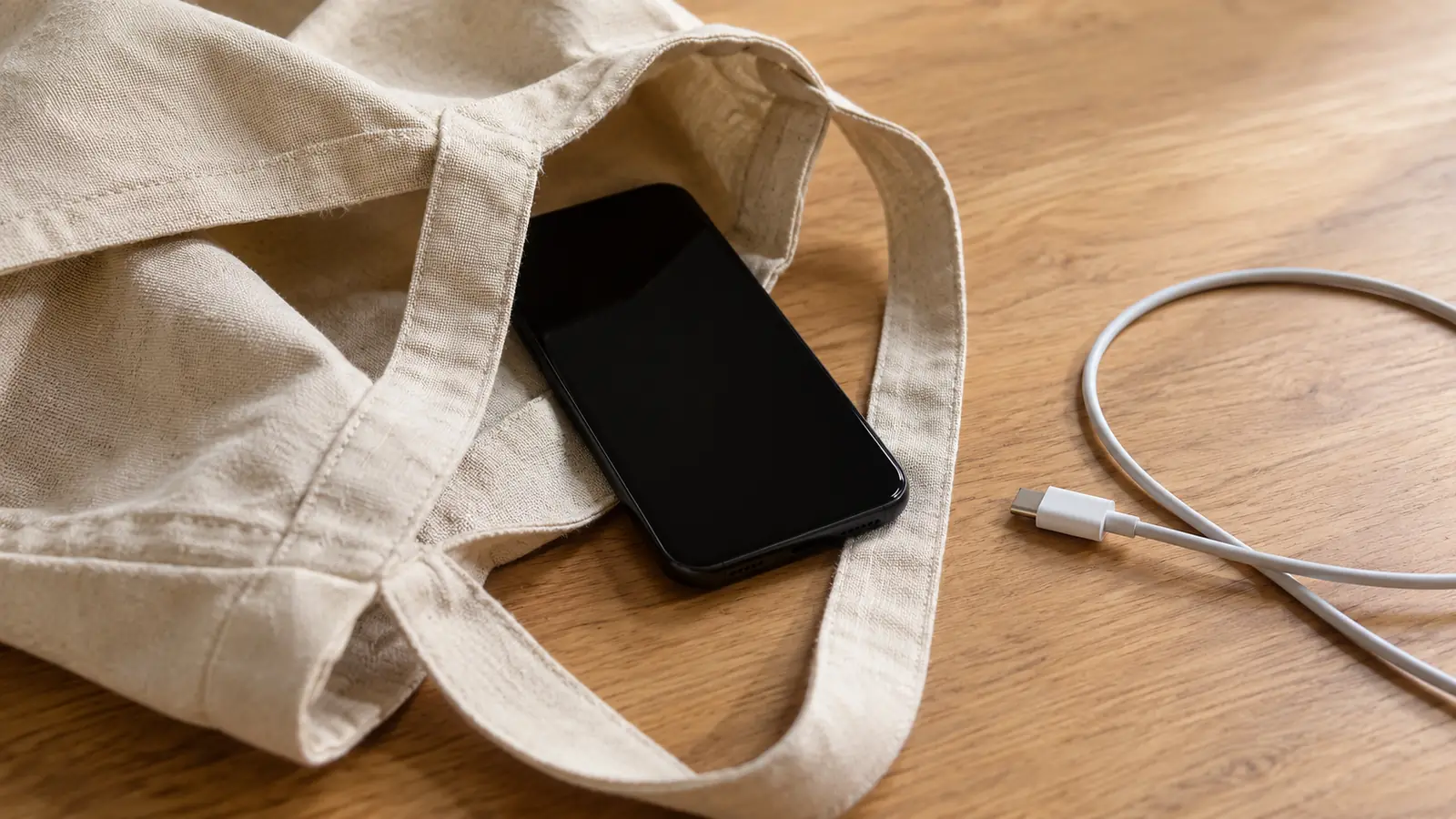
Screen off, unplugged, and moving: the condition for Nougat’s first Doze limits. Google’s footnote says real battery life still depends on signal, network, battery age, temperature, settings, and what you run.
If the phone is then stationary for a further period, still on battery with the screen off, Doze adds the rest of the restrictions: wake locks, alarms, GPS, and Wi-Fi scans. The August 22 post’s battery note applies here. Google did not publish a percent saved, and the footnote says results vary with signal, network setup, battery age, temperature, selected features, settings, and how you use voice, data, and apps.
Worked example. Screen off, unplugged, phone in a bag: first limits (network off, jobs and syncs deferred), with maintenance windows in between. The same phone then sits still for a further period: add wake-lock, alarm, GPS, and Wi-Fi scan limits. Screen on, or the charger connected: Doze exits.
doze_level = first when screen is off and the phone is unplugged.
doze_level = full when that state continues and the phone is also stationary.
doze_level = off when the screen turns on or the phone is plugged in.
Both pages leave that wait as “a short time” or “a certain time,” with no minute count. For how those idle levels behave on a phone you can still adjust, use Android Doze, from the first limits to full idle.
Data Saver is a separate switch in the same release. When you turn it on and the phone is on a metered network, Android blocks background data and signals apps to use less data in the foreground, for example by lowering a stream’s bit rate or delaying prefetch. You can still allow background data for specific apps.
A manufacturer build still has to exist
Neither install path creates the update. A/B writes a package the phone has already been offered. The faster Nexus path still needs that package. Chipset code, drivers, the manufacturer’s interface, and carrier approval sit before either slot is written. Google invited developers to look at Android N in March 2016 so apps could move earlier. That preview note is about apps, not a promise that every manufacturer shipped Nougat on a given date.
Project Treble and why Android updates needed a new architecture follows the later split between the framework and vendor code. It does not change the 2016 rule on this page: a Nexus on the August 22 list did not gain a second system slot by installing 7.0.
Nougat’s place in the sequence is on the Android version timeline. The platform event is August 22, 2016. This page was checked on October 17, 2026 against Google’s launch post, the Android 7.0 feature and behavior-change pages, the September 6, 2016 security overview, and the AOSP legacy A/B page.