A ride or a food order fails to leave its app, and a tablet stays in one or two panes, when Live Updates and desktop windows are treated as switches that every Android 16 phone received on 10 June 2025.
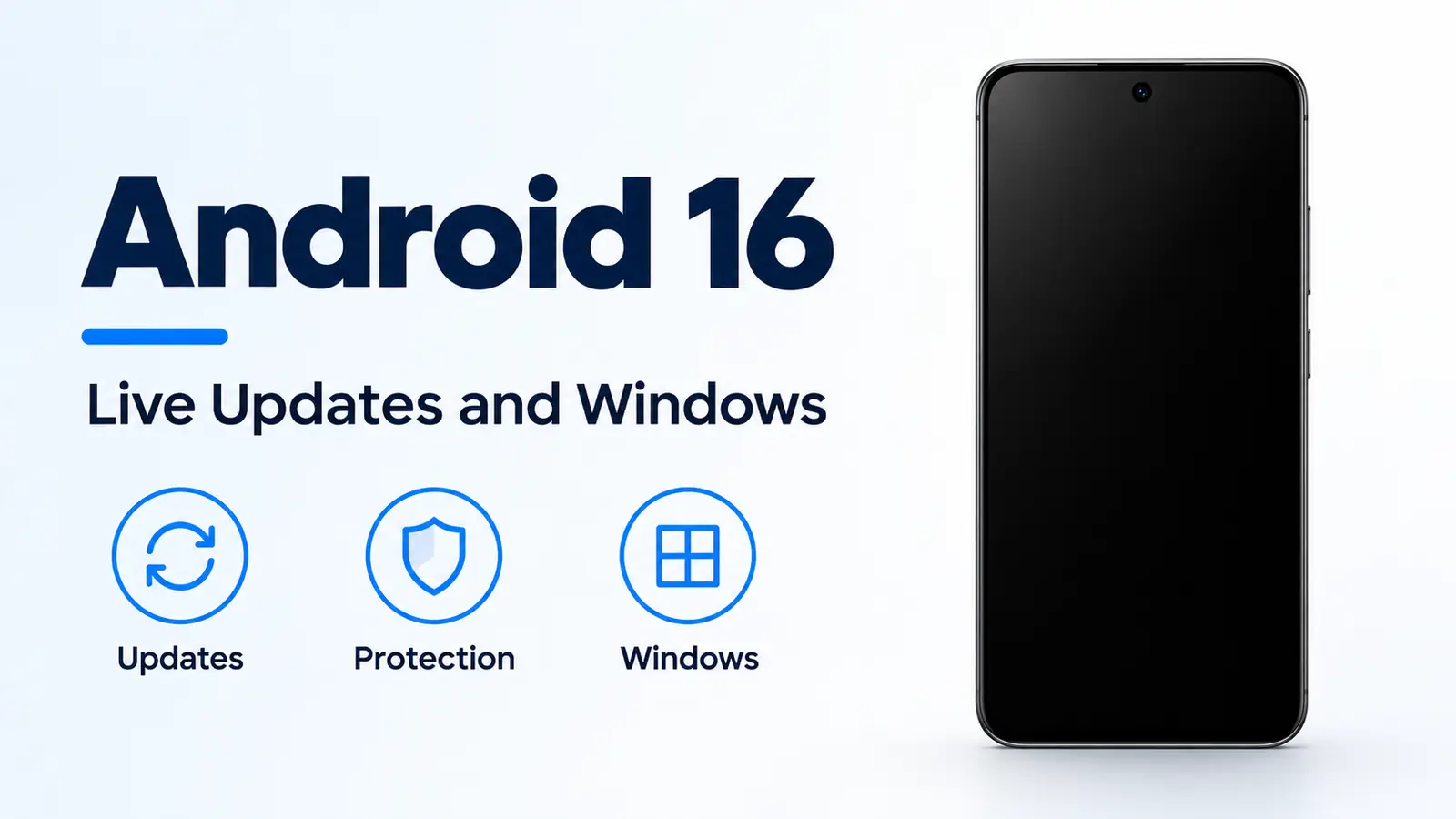
Android 16 reached most supported Pixel phones on 10 June 2025. Matthew McCullough’s developer post that day says the source was in AOSP, that this major release is the only 2025 release planned to include app-impacting behavior changes, and that another API release was planned for Q4 2025. Seang Chau’s consumer post the same day starts Live Updates with compatible ride-share and food delivery apps, force-groups alerts from one app, and says desktop windowing rolls out later in 2025 on compatible devices. Il-Sung Lee’s 13 May 2025 post says Advanced Protection is a device setting on Android 16, with a core suite at release and four named additions later that year. The Android history timeline places the release after Android 15.
| Input or item | Value and source | Why it matters |
|---|---|---|
| Pixel rollout | 10 June 2025, most supported Pixel devices, McCullough | Chau says supported Pixels first, other brands later that year |
| Progress template | Notification.ProgressStyle in the major release, McCullough 10 June |
Live Updates are “fully realized” in an upcoming Android 16 update |
| Suggested journeys | Ride sharing, food delivery, and navigation only, beta post 23 January 2025 | Chau’s 10 June consumer sentence names ride-share and food delivery |
| Advanced Protection | Device setting on Android 16, Lee 13 May 2025 | The core suite is not itemized on that page |
| Later additions, May 2025 | Intrusion Logging, USB protection, insecure-network auto-reconnect off, Phone by Google Scam Detection | Lee dates those four after the Android 16 release |
| Chrome pieces | Android 16, Chrome 137+, Adrian, Castro, and Kotwicz, 8 July 2025 | Full Site Isolation is printed for 4 GB RAM and above |
| Desktop windows for users | Later in 2025, compatible devices, Chau | The same day’s connected-display preview is QPR1 Beta 2 on select Pixels |
| Minimum window | 386 by 352 dp, Romano and Imtiaz, 10 June 2025 | That post calls this smaller than most phones |
| Large screen | Smaller side at least 600 dp, Ahues Bouza, 23 January 2025 | The timeline on that page writes greater than 600 dp |
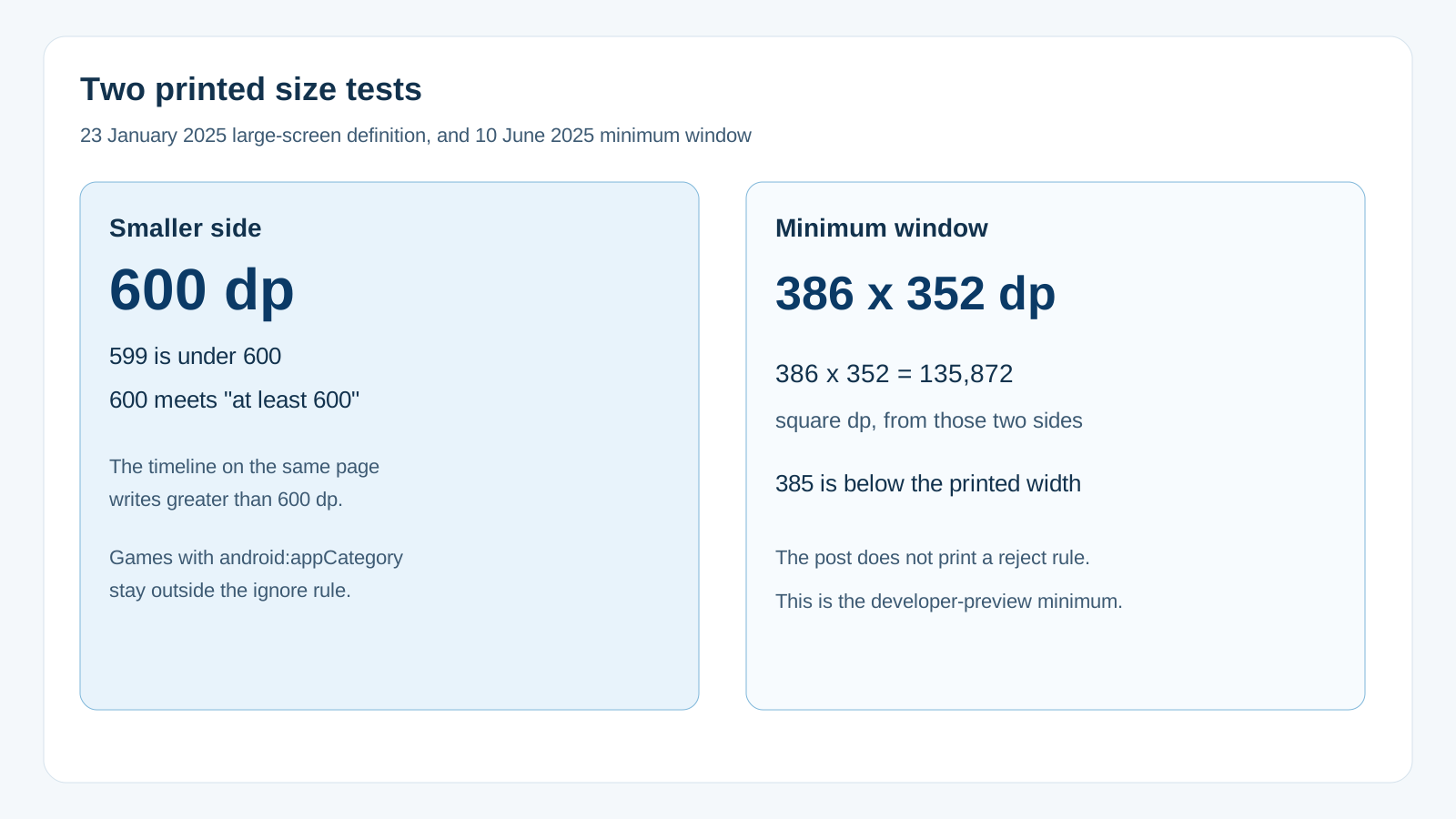
Rule of thumb: If the smaller side of the display is under 600 dp, Maru Ahues Bouza’s 23 January 2025 post says the orientation and resizability changes do not apply. That sentence covers most phones, flippables, and the outer display of a large foldable. If the smaller side is 600 dp or more, that post’s definition of a large screen is met, and for apps targeting SDK 36 the system ignores the listed orientation, resizability, and aspect-ratio limits. Games are outside that ignore rule, based on the android:appCategory flag. The timeline lower on the same page writes the cutoff as greater than 600 dp, so a display of exactly 600 dp meets the definition and sits outside the timeline’s greater-than wording.
What reached phones on 10 June 2025?
McCullough’s 10 June 2025 developer post says Android 16 was released that day and made available on most supported Pixel devices, with new devices running it in the coming months. Chau’s 10 June 2025 consumer post says the rollout starts on supported Pixel devices, with more phone brands later that year, and calls this the earliest major Android launch in the last few years. Neither post prints a model list.
The same developer post says the source code was available in the Android Open Source Project. An earlier source drop is not a claim that every other brand updated on 10 June.
Chau says Android 16 lays the foundation for Material 3 Expressive. McCullough says the Q3 update, between the API releases, provides much of the visual polish associated with Material Expressive, and that a supported Pixel could get the Q3 beta that day. The design that follows is covered in Material 3 Expressive on Android.
Chau also names HDR screenshots, adaptive refresh rate, and identity check as further Android 16 items, and that page does not define them. Dave Kleidermacher’s 13 May 2025 security post is the one that places Identity Check: it had launched for Pixel and Samsung One UI 7, and more manufacturers would offer it on supported devices that upgrade to Android 16. The October 2024 theft-lock wording sits on Android 15 Private Space and theft locks.
What is a Live Update on this release?
McCullough’s 23 January 2025 beta post calls Live Updates a class of notifications for important ongoing activities. The ProgressStyle template is for rideshare, delivery, and navigation. It supports icons for the start, the end, and the current point, plus segments, points, journey states, and milestones. The same post says ProgressStyle notifications are suggested only for ride sharing, food delivery, and navigation.
On 10 June, McCullough’s release post says Android 16 introduces Notification.ProgressStyle for those same three journeys, using points and segments, and that this style is the basis for Live Updates, which will be fully realized in an upcoming Android 16 update. Chau’s consumer post that day is narrower on the starting set: compatible ride-share and food delivery apps. It also says Google was working with Samsung’s Now Bar and OPPO and OnePlus Live Alerts, and that the UI may vary.
The five-minute sentence on Chau’s page is an example of opening the delivery app again. It is the only minute count those posts print, and it is not a refresh interval.
Chau’s second notification change is force-grouping. Alerts from a single app are grouped automatically. The posts do not say this removes notification permission or notification categories.
The current Pixel Phone Help page, fetched 18 October 2026, is a Pixel settings path, not a version changelog. It says some apps can show real-time updates on the lock screen, with a ride’s location or a food delivery time as the examples. The path it prints is Settings, Notifications, App notifications, the app’s name, then Live updates. The same page says battery-saving and interruption settings can delay or stop notifications.
What does the Advanced Protection switch include?
Lee’s 13 May 2025 security post says Android 16 extends the Advanced Protection Program, which the post treats as the existing account program, with a device-level setting. Stella Loh’s consumer post the same day says Android 16 enhances the Advanced Protection features Google first launched in 2017. Chau’s 10 June post says one activation turns on Google’s strongest mobile device protection against online attacks, harmful apps, unsafe websites, scam calls, and more. Footnote 2 on Chau’s page says availability may vary by manufacturer and device, and that some features launch later that year.
Lee names the timing split. At the Android 16 release, people who turn the setting on get a core suite. The page does not list that suite item by item. It does name four additions for later that year: Intrusion Logging, USB protection, the option to disable auto-reconnect to insecure networks, and integration with Scam Detection for Phone by Google. Once the setting is on, Lee says the system prevents accidental or malicious disablement of the individual features under it. The setting is also a control point for Chrome, Google Messages, and Phone by Google, with third-party apps able to integrate later.
The Chrome behaviors are on a later page. David Adrian, Javier Castro, and Peter Kotwicz, on 8 July 2025, say Advanced Protection is available on Android 16 in Chrome 137 and newer, and that it does three things in Chrome. It turns on Always Use Secure Connections for public and private sites. It turns on full Site Isolation on Android devices with 4 GB of RAM or more, so each site gets its own rendering process. It disables the higher-level optimizing JavaScript compilers in V8. The post says insecure HTTP is less than 1 percent of page loads for Chrome on Android. With Advanced Protection off, the same post says mobile Chrome isolates a site when the user logs into it or submits a form on it.
Worked example. The 4 GB line is a threshold, not a measured memory saving. Compare the device RAM with 4 GB:
3 GB is under 4 GB, so it misses the full Site Isolation case that post prints.
4 GB meets “4GB+”.
The post does not print a memory cost for the extra processes.
Kleidermacher’s 13 May post adds a lock-screen limit that is separate from the Advanced Protection section: in higher-risk cases, Android 16 hides one-time passwords received while the phone is locked. Footnote 2 defines the higher-risk case as a device that is not on Wi-Fi and has not been recently unlocked. The post does not define “recently.” Footnote 1 on that page puts in-call protection against disabling Google Play Protect on Android 6 and newer, and puts protections for sideloading an app and for turning on accessibility permissions on Android 16 devices.
On 1 October 2026, Lee’s follow-up says Advanced Protection launched the year before on Android 16 as one toggle, and that one switch keeps Google Play Protect and Scam Detection from being disabled. The six features in that post carry a note that they are available on Android 17 devices, except USB Protection and Failed Authentication Lock, which are on select Android 17 devices. USB Protection is also described as currently available on Pixel 6+ devices. Intrusion Logging on that page keeps logs for a rolling 12 months and needs a separate opt-in. That October page is not the June 2025 inventory.
When does a window become a desktop window?
Chau’s 10 June post says Google worked with Samsung on desktop windowing for large-screen devices, in addition to the single-app and split-screen modes. You can open, move, and resize multiple app windows on one screen. The user rollout is later that year on compatible devices. Custom keyboard shortcuts and taskbar overflow are also later that year. External-display work is a future update, and Chau says developers could start testing it that day.
Romano and Imtiaz’s 10 June 2025 connected-display preview says connected displays are in developer preview with Android 16 QPR1 Beta 2 on select Pixel devices. A supported phone or foldable on a DisplayPort connection starts a new desktop session on the external display. The phone and that display run independently, and apps belong to the display they are running on. A tablet that already has desktop windowing extends one session across both displays. The post says desktop windowing for users on compatible tablets is set to launch later that year, and that it works with split screen without a special mode. The large-screen path up to that point is in Android 12L on foldables and tablets.
The same preview prints the minimum window in desktop windowing as 386 by 352 dp, and says that is smaller than most phones.
Worked example. Multiply the two printed sides:
386 dp × 352 dp = 135,872 square dp.
A window 385 dp wide and 352 dp tall is under the printed width. The post prints the minimum. It does not print a reject message or a tolerance.
Ahues Bouza’s 23 January 2025 post is the large-screen rule those windows sit on. A large screen there means the smaller dimension is greater than or equal to 600 dp, including inner displays of large foldables, tablets (including desktop windowing), and desktop environments such as Chromebooks. For apps targeting Android 16 (SDK 36) on those screens, the post says the system ignores screenOrientation and setRequestedOrientation() for the listed portrait and landscape values, ignores resizeableActivity, and ignores minAspectRatio and maxAspectRatio. Screens smaller than sw600dp are outside that change. Games are outside it based on the android:appCategory flag. Users can still opt in to the app’s default behavior in aspect-ratio settings. The beta post the same day uses a different phrase, “screens larger than 600 dp wide,” so width and smaller-side are not the same test.
Where does each claim fail?
| Path | What the page changes | Dominant failure mode | Prevention |
|---|---|---|---|
| ProgressStyle on 10 June | The template is in the major release | Readers treat Live Updates as finished that day | McCullough says full Live Updates come in an upcoming Android 16 update |
| Consumer starting set | Ride-share and food delivery | Navigation is added from the January beta into Chau’s sentence | Keep navigation on the beta and the 10 June developer post |
| Five minutes | An example of reopening the delivery app | The line is stored as a refresh timer | No saved page prints a Live Updates interval |
| App outside the three journeys | ProgressStyle is suggested only for ride sharing, food delivery, and navigation | A promo or a download uses the progress template | The 23 January post limits the suggestion to those three |
| Pixel Live updates toggle off | The help page requires the switch per app | The platform sentence is treated as enough | Settings, Notifications, App notifications, then Live updates |
| Advanced Protection core suite | Immediate on Android 16, list not printed | The four later names are backdated to 10 June | Lee’s May page dates those four after release |
| Full Site Isolation | 4 GB RAM or more, Advanced Protection on | A 3 GB phone is treated as fully isolated | 3 GB misses the printed case |
| One-time passwords | Hidden on the lock screen in the higher-risk case | “Recently” is filled in with a minute count | The May security post does not define recently |
| Desktop windows on a phone that day | User rollout is later, on compatible devices | Every Android 16 phone is described as a desktop | Chau’s date is later in 2025 |
| Smaller side under 600 dp | Orientation limits still apply | A phone is expected to ignore portrait locks | Ahues Bouza excludes screens smaller than sw600dp |
| Hearing-aid volume | Native controls in Android 16 | Ambient volume is assumed on every LE Audio aid | Footnote 1 requires manufacturer support for ambient volume |
Chau’s hearing section is a separate 10 June change. Current LE Audio hearing devices use their front-facing mics, which the post says are aimed at the other person. Android 16 lets you switch the call to the phone’s microphone in noisy environments, and it adds native hearing-device controls, including volume, from the phone. Footnote 1 requires hearing aids and Android devices with LE Audio support, within Bluetooth distance. Ambient volume control needs the hearing-aid maker’s support.
How this page was checked
The 10 June 2025 Pixel and notification claims come from Seang Chau’s consumer post, whose datePublished is 2025-06-10T18:00:00+00:00, and from Matthew McCullough’s developer post the same day. The ProgressStyle suggestion limit comes from McCullough’s 23 January 2025 beta post. The 600 dp definition, the greater-than timeline wording, and the ignored orientation attributes come from Maru Ahues Bouza’s post that day. The 386 by 352 dp window, DisplayPort session, and QPR1 Beta 2 preview come from Francesco Romano and Fahd Imtiaz’s 10 June 2025 post. The Advanced Protection timing split comes from Il-Sung Lee’s 13 May 2025 post. The 2017 sentence comes from Stella Loh’s post that day. Identity Check, the one-time-password condition, and the Android 6 versus Android 16 footnote come from Dave Kleidermacher’s 13 May 2025 post. The Chrome 137 behaviors and the 4 GB line come from the 8 July 2025 Chrome post. The Android 17 note, the 12-month log, and the Pixel 6+ USB line come from Lee’s 1 October 2026 post. The Live updates settings path comes from Pixel Phone Help fetched with those pages. This page does not report a handset measurement.