A snatched unlocked phone fails to hide the banking app, and a forced reset can still be set up again, when Private Space is empty and Theft Detection Lock is off.
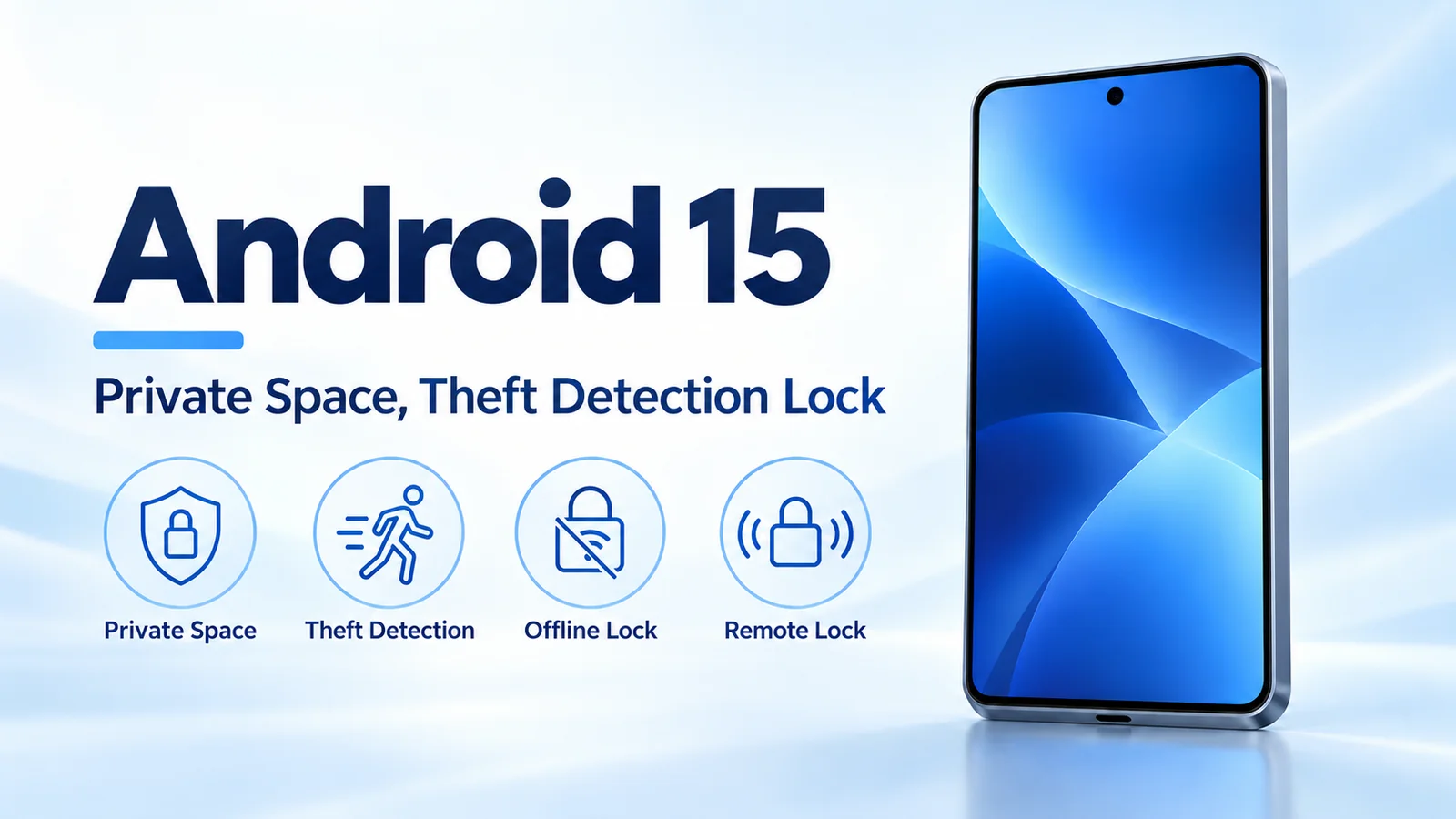
Android 15 is the 15 October 2024 Pixel rollout that adds Private Space, while Theft Detection Lock, Offline Device Lock, and Remote Lock reached most Android 10 and newer phones through Google Play services. Seang Chau’s 15 October 2024 consumer post says Private Space hides locked apps from the apps list, recent apps, notifications, and settings, and that you can hide the space itself. The same post says Theft Detection Lock locks the phone when it senses a snatch and an attempt to run, bike, or drive away. Its footnote excludes Android Go, tablets, and wearables, says support may vary by smartphone model, and requires a lock screen. The 15 October 2024 security post says the three locks must be turned on in settings and began on devices that cover 90% of active users worldwide. The Android history timeline places the release among the other platform years.
| Input or item | Value and source | Why it matters |
|---|---|---|
| Pixel rollout | 15 October 2024, consumer post datePublished |
Supported Pixels started that day |
| AOSP source drop | 3 September 2024, Matthew McCullough | Pixels were still “coming weeks” on this date |
| Private Space, consumer post | Hidden from apps list, recents, notifications, and settings when locked | Hiding the space itself is a separate choice |
| Private Space, Android Help | New install. The old app is not copied. Locked apps are completely stopped | Data does not move across, and background work inside the space stops |
| Profile ceiling | More than 4 users or profiles blocks Private Space, Android Help | A count of 4 is outside that test |
| Theft Detection Lock | Snatch, then run, bike, or drive, consumer post. On-device machine learning and device sensors, security post | No sensor name and no minute count are printed |
| Delivery of the three locks | Most Android 10+ phones, Play services, both 15 October posts. Must be enabled | Android 15 is not the gate for these three |
| Rollout scope that day | Devices covering 90% of active users worldwide, security post | Android Go, tablets, and wearables are excluded |
| Factory reset, 15 May 2024 | Setup after a forced reset needs device or Google account credentials | The 15 October security post words the credential as the Google account |
Rule of thumb: If Private Space is locked, the Android Help page says apps inside it are completely stopped, so they cannot run in the foreground or background or show notifications. If an app must keep working while that space is locked, install it outside the space. The theft posts print no minute count for Theft Detection Lock or Offline Device Lock. The only 5-minute figure on the saved pages is the Private Space option “5 minutes after screen timeout.”
What reached phones on 15 October 2024?
Supported Pixel phones started receiving Android 15 that day. Seang Chau’s consumer post says the rollout starts on Pixel devices. It does not name Pixel models.
The source drop is earlier. Matthew McCullough’s 3 September 2024 post says Android 15 source is in AOSP, supported Pixel devices follow in the coming weeks, and select devices from Samsung, Honor, iQOO, Lenovo, Motorola, Nothing, OnePlus, Oppo, realme, Sharp, Sony, Tecno, vivo, and Xiaomi follow in the coming months. That list is a schedule on 3 September. It is not a claim that those brands updated on 15 October.
The three screen locks took a different path. Suzanne Frey’s 15 May 2024 post says Theft Detection Lock, Offline Device Lock, and Remote Lock would reach Android 10 and newer phones through Google Play services later that year, with some protections in Android 15. The 15 October security post, by Jianing Sandra Guo and Nataliya Stanetsky, says the advanced theft features are available through Android 15 and a Play services update for Android 10 and newer devices. The consumer post the same day says Theft Detection Lock and Remote Lock are available for most Android 10 and newer devices. The security post adds that the Play services features must be turned on in settings.
How does Private Space separate apps?
On the 15 October consumer post, Private Space is a separate area for sensitive apps, with social, dating, and banking apps as the examples. When it is locked, apps stay hidden from the apps list, recent apps, notifications, and settings. Access uses an additional layer of authentication. You can also hide the existence of the space.
The 15 May post uses a tighter lock phrase: hide the area and lock it with a separate PIN. The current Android Help page, fetched 18 October 2026, is wider than that May sentence. You can keep the device screen lock, or choose a new pattern, PIN, or password. If you skip fingerprint, the page still offers pattern, PIN, or password. The May “separate PIN” sentence stays on the May post. The choice of device lock or a new lock stays on the help page.
McCullough’s 3 September post says Private Space keeps sensitive apps under an additional layer of authentication, and that medical apps, launcher apps, and app stores may need extra steps to work there. The help page says the practical limit for a medical app: when the device is locked, apps in the space cannot read sensor data or keep working, so a medical app cannot track health information then. Apps installed outside the space are unaffected.
Installing is a second copy. The help page says you touch and hold an app and choose “Install app in Private space,” or you install from inside the space. The new instance is installed. The previous instance is not copied or modified. The page also says Private Space does not let you move that app’s data from the main space into the private space.
A dedicated Google Account is the help page’s way to keep private notifications and files from showing outside the space. The same page says you still cannot hide the space from someone who installs apps on the phone, from a computer connection including Android Debug Bridge, from other apps that can detect the space, or from device logs.
Worked example. The help page blocks Private Space when the device has more than 4 users or profiles. Compare the count with 4:
4 > 4 is false, so a count of 4 is outside the blocked case the page prints.
5 > 4 is true, so a count of 5 is the blocked case.
The page does not list which accounts add into that count. It does say you use Private Space only as the main user, not as a guest or a secondary user, and not when the device is managed or an enterprise admin has turned the feature off.
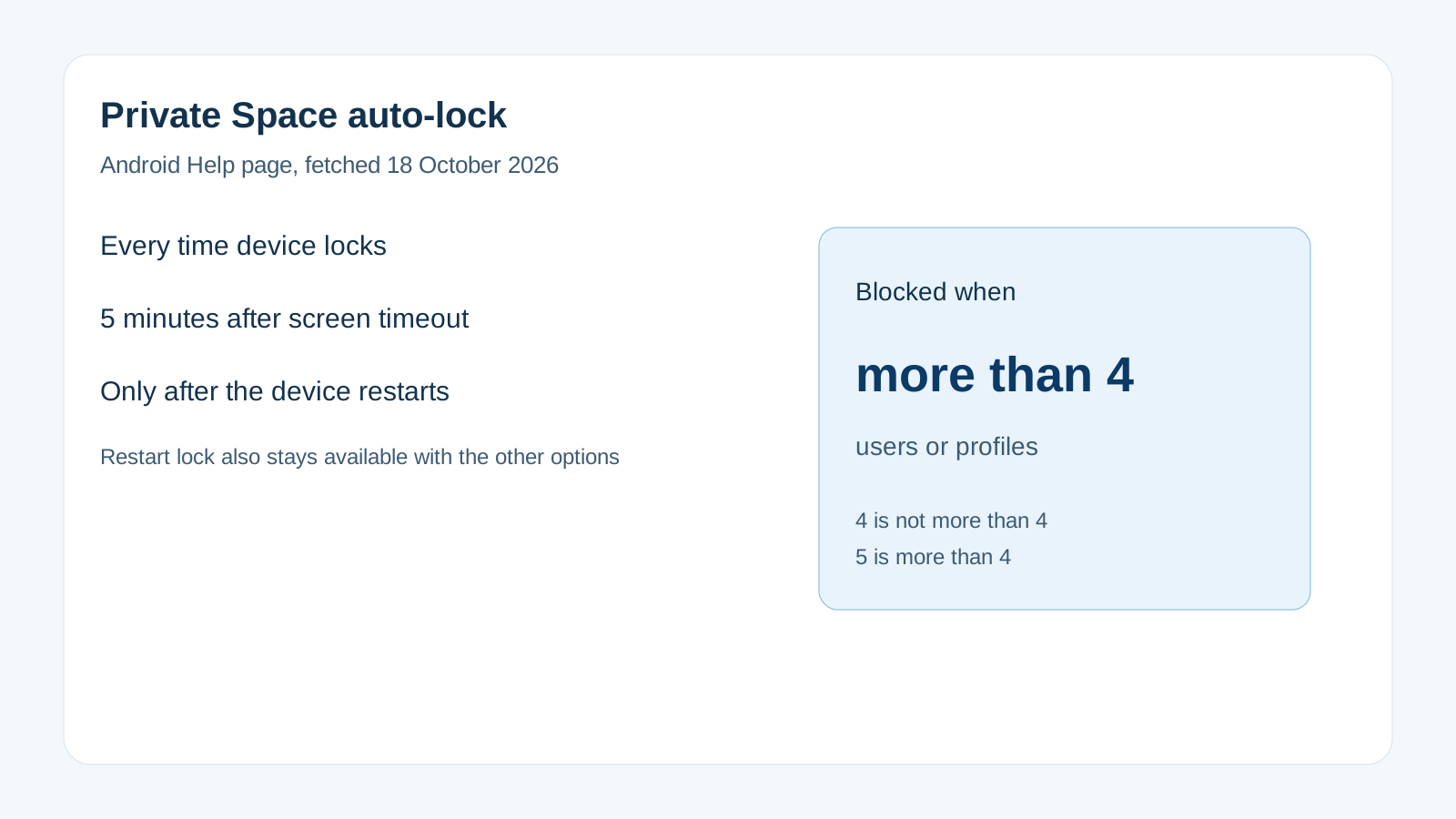
The help page’s auto-lock choices are “Every time device locks,” “5 minutes after screen timeout,” and “Only after the device restarts.” The restart lock remains available by default along with the other options. The 5-minute line means the space locks 5 minutes after the screen timeout from inactivity. The page points you to Display, then Screen timeout, and it does not print a default timeout length.
Deleting the space needs the private-space lock, or the device PIN from System reset options. The help page says the apps and their data are deleted with no backup, and a device backup does not restore Private Space. Cloud data can return only if the app was already syncing it.
A work profile is a different boundary. Android Enterprise Help says a work profile, on Android 5 or later, lets the organization manage work apps and data while personal apps stay private. The Private Space help page says the feature is unavailable on a managed device and can be disabled by an enterprise admin.
What locks the screen during a theft?
Theft Detection Lock, on the 15 October consumer post, uses AI and locks the device if the phone senses a snatch and an attempt to run, bike, or drive away. The 15 May post says Google AI looks for a common motion associated with that snatch, and the screen then locks quickly. The 15 October security post says on-device machine learning reads various device signals, and that device sensors identify the attempt. None of the three posts names the sensor, prints a confidence level, or prints a minute count.
The consumer footnote on Theft Detection Lock says it is not supported on Android Go, tablets, and wearables, that support may vary by smartphone model, and that the device must have a lock screen set. The security post’s note matches the hardware exclusion: Android Go smartphones, tablets, and wearables are not supported. The same post says the feature rolled out gradually, starting that day on Android devices that cover 90% of active users worldwide, and that you check the theft protection settings page to see whether the device is supported.
Offline Device Lock, on the security post, locks an unlocked phone that stays offline for prolonged periods, including when someone is trying to avoid a remote wipe through Find My Device. The 15 May post adds a second trigger on that path: excessive failed authentication attempts also lock the screen. “Prolonged” and “excessive” are the words those posts print. They do not print a duration or an attempt count.
Remote Lock, on the security post, is a page at Android.com/lock. You use any device, a verified phone number, and the phone locks while you recover the Google account and open Find My Device to secure, locate, or remotely wipe it. The 15 May post calls the check a quick security challenge and says it buys time to reach Find My Device, including a full factory-reset command. The consumer post calls it a phone number and a simple security check. The 15 May post says Find My Device itself is on Android 5 and newer, which is a wider base than the Android 10 line for the three new locks. How the network finds a phone that is already offline is covered in Find My Device network offline tracking.
Worked example. The security post states that 97 phones are robbed or stolen every hour in Brazil, and it points that rate at a 2022 Brazilian public-safety yearbook. It does not print a daily total. Using only the hourly rate it prints:
97 phones/hour × 24 hours = 2,328 phones in 24 hours.
That product is arithmetic on the printed hourly rate. It is not a second statistic from the post, and it is not a count of phones locked by Theft Detection Lock.
Where does each protection fail?
| Path | What changes | Dominant failure mode | Prevention |
|---|---|---|---|
| Private Space locked | Apps inside are completely stopped | A medical or alert app in the space goes silent | Install that app outside the space |
| Same Google Account inside and outside | Notifications and files can show outside | The hidden apps still leak through sync | Help page: use a different Google Account in the space |
| More than 4 users or profiles | Private Space cannot be used | The space never gets created | Stay at 4 or fewer, on the main user, on a device that is not managed |
| Install into the space | A new instance is created | The old app’s data is expected to move | The previous instance is not copied |
| Theft Detection on Android Go, a tablet, or a wearable | The consumer footnote and the security note exclude them | The lock is absent | Check the theft protection settings page |
| Offline or snatch lock | Posts say prolonged or a common motion | A made-up minute count gets treated as policy | Keep the minute count off those posts |
| Identity Check on 15 October 2024 | Security post says later that year, opt-in | Readers treat it as shipped that day | Leave it on that post as not yet launched |
Android 15, on the consumer post, adds authentication for settings thieves target, including removing a SIM or turning off Find My Device, and it locks the device after multiple failed attempts for apps and settings. The 15 May post is the one that names extending the screen timeout: that change needs a PIN, password, or biometric. The 15 October security post says sensitive settings such as Find My Device need a PIN, password, or biometric, and that multiple failed login attempts lock the device down. No post prints how many failures that takes.
Factory-reset wording splits by page. The 15 May post says a forced reset cannot be set up again without the device credentials or the Google account credentials. The 15 October security post says enhanced factory reset protection makes a reset harder without the Google account credentials, and that this cuts resale value. Those are the conditions each page prints.
Identity Check is named only on the 15 October security post, as an opt-in feature later that year: biometrics for critical Google account and device settings, such as changing the PIN, turning off theft protection, or opening passkeys, from an untrusted location. The 15 May post describes the same job as enhanced authentication for select devices later that year, without the Identity Check name. Neither saved page prints a later ship date.
What else did the 15 October post add?
On foldables and tablets, the consumer post says you can pin or unpin the taskbar, and you can save an app pair so it opens from one icon into split screen. That large-screen path continues in Pixel Fold and large-screen Android.
The same post says passkey apps can sign in with a single tap, third-party camera apps get more precise flash control, and Low Light Boost works better in low light. Carrier messaging apps can send and receive over satellite with no mobile network and no Wi-Fi. The post does not name handsets, carriers, or a brightness level for any of those.
How this page was checked
The 15 October 2024 Pixel claims come from Seang Chau’s consumer post, whose datePublished is 2024-10-15T16:00:00+00:00. The 15 May 2024 schedule and the separate-PIN sentence come from Suzanne Frey’s post. The 90% rollout, the Brazil hourly rate, Android.com/lock, and the Identity Check timing come from the security post dated 15 October 2024. The 3 September 2024 brand schedule and the Private Space sentence for medical, launcher, and store apps come from Matthew McCullough’s AOSP post. Install rules, the stopped-app behavior, the 5-minute auto-lock, and the more-than-4 test come from the Android Help page fetched with those posts. The work-profile sentence comes from Android Enterprise Help. Developer pages that saved only a sign-in redirect are not used. This page does not report a handset measurement.