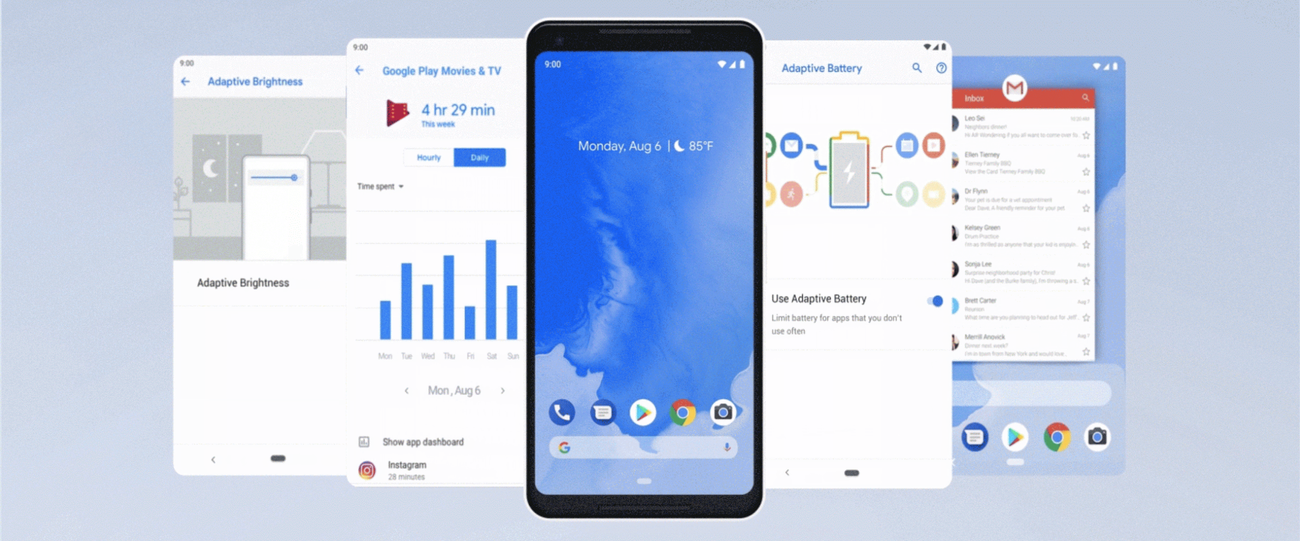
Google released Android 9 Pie on August 6, 2018. Its headline was not one isolated feature but a new promise: the operating system would learn from use and adapt. Adaptive Battery, Adaptive Brightness and App Actions applied that idea to power, display settings and suggested tasks. An optional one-button navigation model and a preview of Digital Wellbeing pointed toward two other concerns that would shape later Android releases.
The word “AI” was already common in technology marketing, so Android Pie is best understood through specific behavior rather than the label. It did not turn the phone into a humanlike assistant. It used machine learning and usage patterns to make a limited set of everyday choices more contextual.
- Adaptive Battery: Prioritizing app work used a fixed battery more selectively; it did not add physical capacity or guarantee longer runtime.
- Adaptive Brightness: Learned adjustments personalized a display setting, rather than predicting every user preference correctly.
- Navigation: Pie’s optional one-button model was transitional. Treating it as Android 10’s fuller gesture system obscures the controls users actually had.
What did it mean for Android to become adaptive?
Earlier phones already automated many tasks, from screen rotation to network selection. Pie’s adaptive features differed in emphasis: they tried to learn an individual user’s habits instead of applying only the same fixed rule to every person. A phone could prioritize resources for frequently used apps, remember how its owner adjusted brightness in different conditions and surface actions that seemed relevant to the current context.
That goal joined three layers of the phone. The system observed patterns, models converted those patterns into predictions, and the interface exposed a result such as a brightness adjustment or suggested action. None of those predictions was guaranteed to be right. The design challenge was to provide a benefit without making the phone feel unpredictable or removing user control.
Pie therefore represents a change in posture. Android was not only waiting for a tap and then executing a command; in selected places, it was preparing what the user might need next. Later releases expanded that approach, but the 2018 release gave ordinary users several clear examples in the core system.
How did Adaptive Battery and Adaptive Brightness work for users?
Adaptive Battery learned which apps a person used most and prioritized battery power for them. The practical aim was to limit work by less important apps so resources remained available for likely needs. Android’s developer changes also strengthened power-management systems that placed apps into different standby groups according to recent and frequent use.
Adaptive Brightness learned from manual adjustments. A conventional automatic brightness system can react to ambient light, but two people may prefer different screen levels in the same room. Pie used previous corrections as a signal, allowing the automatic result to become more personal over time.
| Feature | Signal it used | Intended everyday benefit |
|---|---|---|
| Adaptive Battery | Patterns of app use | Spend less power on infrequently used apps |
| Adaptive Brightness | Ambient conditions and user adjustments | Reduce repeated manual brightness changes |
| App Actions | Context and routine | Surface a likely next task sooner |
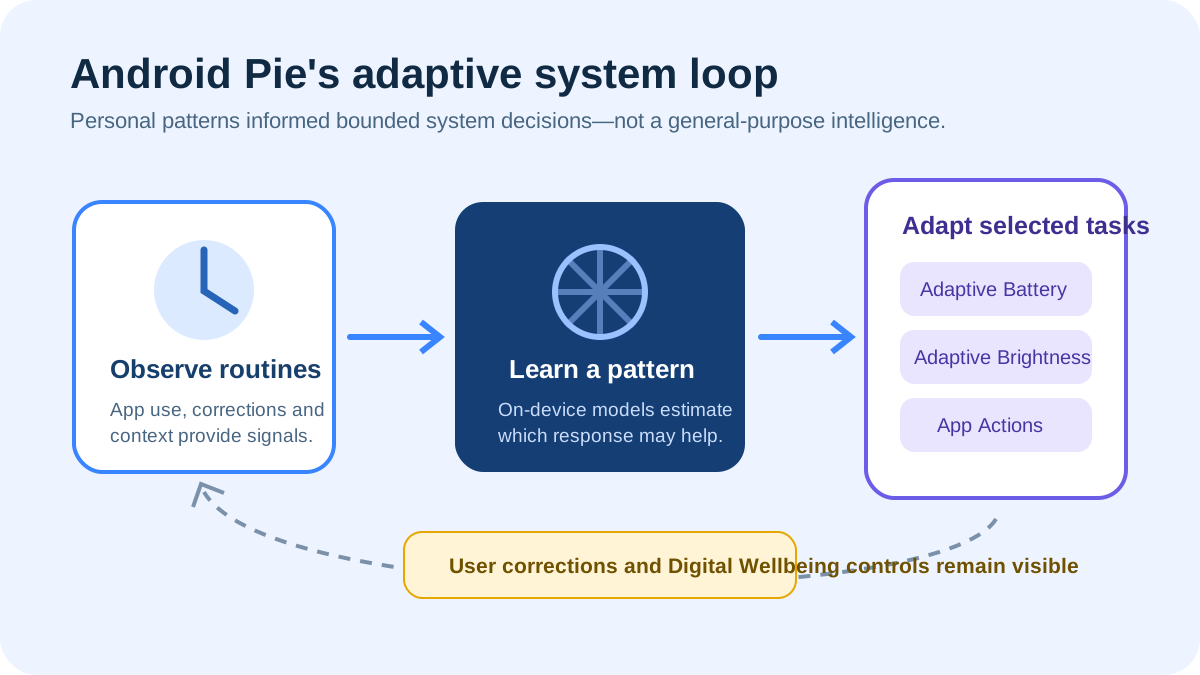
These features did not repeal battery physics. Screen time, radio conditions, processor load and battery health still mattered. Their importance was that resource management became partly behavior-aware. It was a software attempt to use a fixed battery more intelligently, not a claim to create extra capacity.
What were App Actions and Slices trying to change?
App Actions predicted a likely task and exposed a direct route to it, such as resuming media or starting navigation. The idea separated an app from a single launcher icon. If the system understood the next useful action, it could offer that action at the moment it seemed relevant instead of making the user open an app and find the correct screen.
Google also previewed Slices, which allowed selected app information and controls to appear in another surface, including search. Both concepts treated apps as collections of useful capabilities rather than sealed destinations. This direction has continued in different forms across Android, widgets, search and assistant experiences, even when the original branding was not what ordinary users remembered.
There was an important dependency: developers had to describe and support the actions the system could present. A platform prediction is only useful if it leads into a reliable app experience. Pie’s approach therefore asked Android developers to think about tasks and entry points, not just full-screen app launches.
Why did Pie begin moving away from navigation buttons?
Android Pie introduced a new system navigation option built around a single home button. Swiping up opened a redesigned Overview with large previews of recent apps, while the interface tried to make switching and text selection more direct. Google presented the change partly as a response to taller screens and the difficulty of reaching controls one-handed.
It was a transitional design, not the final gesture system and not an immediate removal of all button navigation. That distinction prevents a common historical shortcut. Pie tested a hybrid in public; Android 10 would introduce a more comprehensive gesture model the next year. Readers can follow that next step in our explanation of Android 10 navigation and privacy.
Changing navigation was more disruptive than adding a setting. Back, Home and Overview were learned behaviors shared across apps. A gesture could free screen space and make movement feel direct, but it also had to remain discoverable, work with accessibility needs and avoid conflicts with gestures inside apps. Pie began a platform-wide adjustment that required several releases to settle.
Why did Digital Wellbeing arrive beside predictive features?
The pairing exposed a tension at the center of the smartphone. Pie tried to make actions faster and more personally relevant, while Digital Wellbeing tried to help people understand and limit attention. Google’s preview included a Dashboard for viewing use, App Timers, a stronger Do Not Disturb experience and Wind Down, which could combine night settings with a grayscale display.
These tools did not decide what constituted healthy use. They made patterns visible and gave the owner controls. That was an important change from treating engagement as an unquestioned good. The same system that predicted the next app also acknowledged that a person might want fewer prompts to open one.
Digital Wellbeing initially had a staged rollout rather than appearing in its finished form on every Pie phone on release day. Google’s August announcement described a Pixel beta and later availability. Separating the platform launch from the feature rollout is important when reconstructing what users actually received in 2018.
What changed for the wider Android ecosystem?
Pie was API level 28, and Google’s developer release announcement documented the final platform alongside its visible features. It supported display cutouts, multiple physical camera streams, improved messaging notifications and new security capabilities. Those APIs show how Android was responding to hardware trends that varied across many manufacturers, not merely updating Google’s own phones.
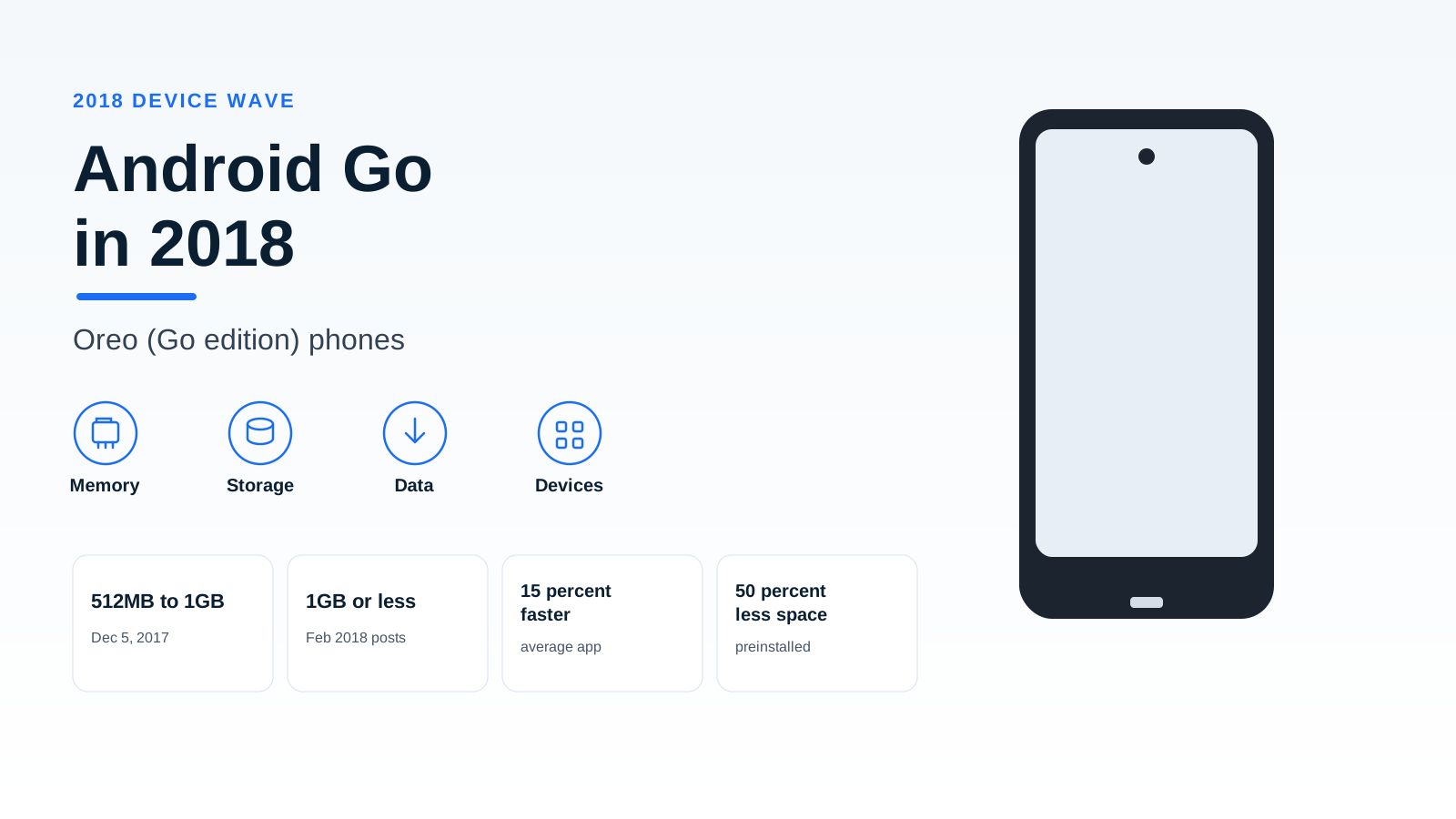
The beta also included devices from several partner brands. That broader test did not eliminate Android’s uneven update schedules, but it demonstrated closer coordination around a major release. Meanwhile, the low-end side of the market was developing through Android Go devices, which pursued accessibility with a lighter Go configuration rather than high-end adaptive features alone.
The official Android 9 API overview shows why every platform change became a compatibility exercise. A new navigation pattern affected app layouts; power restrictions affected background work; cutout support affected content placement. Pie mattered as much for the rules underneath the interface as for the features visible in a Google demonstration.
Why does Android 9 Pie still matter today?
Pie established questions that remain useful when evaluating a modern phone. Does adaptive power management preserve battery without delaying important work? Can suggestions be helpful without becoming intrusive? Are gesture controls understandable and accessible? Do attention tools give meaningful control rather than simply reporting screen time?
It also reminds us to separate prediction from intelligence in the abstract. Adaptive Battery solved a bounded resource problem; Adaptive Brightness learned a preference; App Actions ranked possible next steps. Examining each mechanism is more informative than treating every automated feature as the same kind of AI. In the broader Android history timeline, Android 9 Pie marks a point when the operating system began to present personal adaptation as a normal part of everyday phone behavior.
Continue with Android 10’s gesture navigation for the next interaction model, or Android Go’s resource constraints to distinguish lightweight configuration from Pie’s adaptive behavior.
Historical record: Platform event: 2018-08-06; original publication record: 2018-08-07.