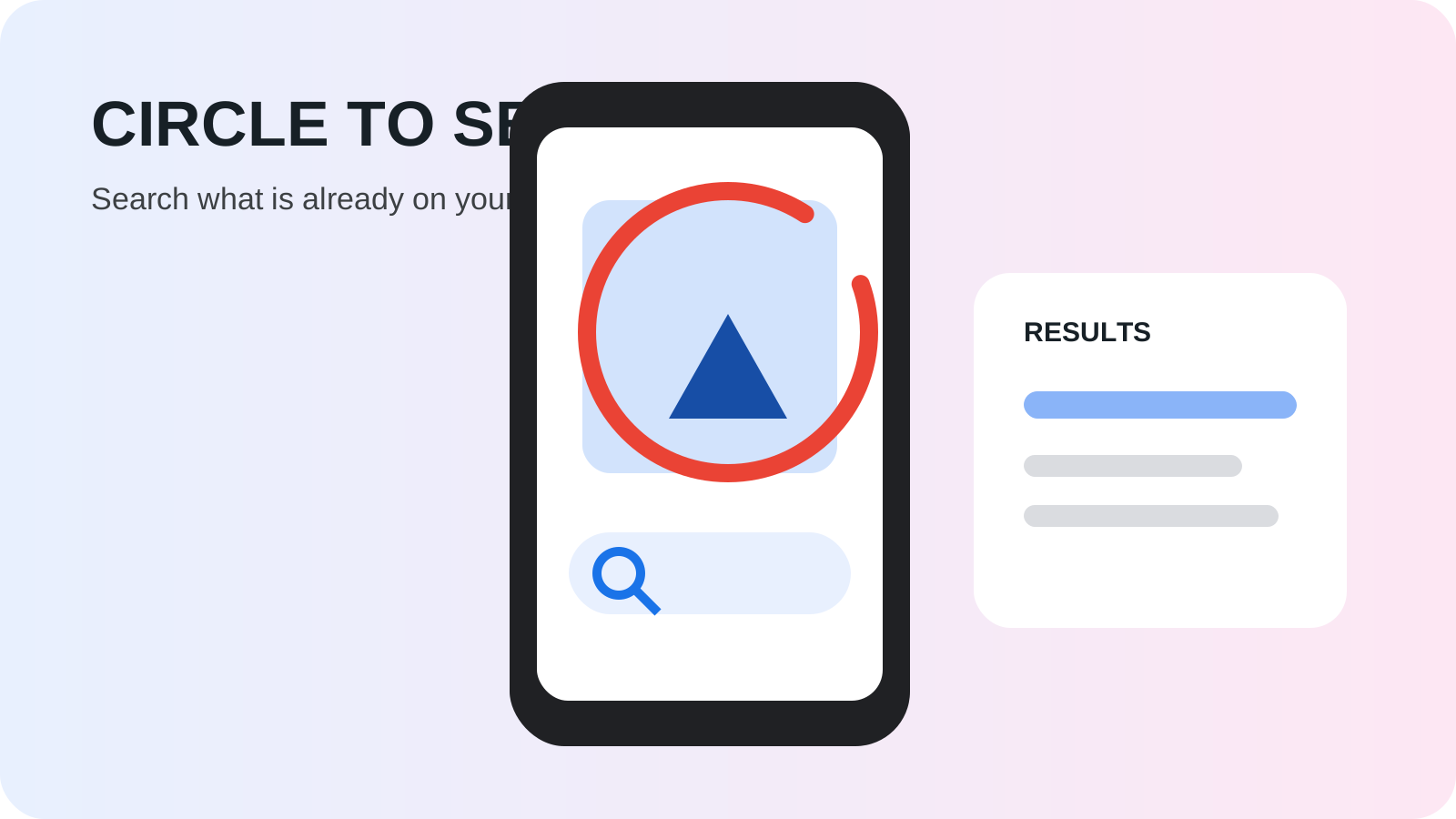
A Circle to Search query fails when the phone, the app, or the hold sits outside the gates on the saved Google and Android pages. Circle to Search is Android’s on-screen search: you select text, an image, or video already visible, and Google results open over the app that is already open.
Circle to Search is the Android gesture that searches text, an image, or video already on the screen without switching apps. Elizabeth Reid’s post shows the date line Jan 17, 2024, and says it is launching globally on select premium Android smartphones on January 31, starting with the Pixel 8, the Pixel 8 Pro, and the new Samsung Galaxy S24 series. Alistair Pott’s post shows Jan 31, 2024, and says the rollout is starting that day on those phones, after a long press of the home button or navigation bar. The record is in the Android history hub under Industry Insights. Google Search Help, fetched October 18, 2026, says the feature is currently available on select models of Android phones including Pixel 6 and later. The rest of that list is unprinted.
| Input or item | Value the saved page prints | Why it matters |
|---|---|---|
| Reid and Lockheimer date line | Jan 17, 2024 | Both posts. Schema datePublished matches that day. Schema dateModified is 2026-01-07 |
| Pott date line | Jan 31, 2024 | “Starting today.” Schema datePublished matches. Schema dateModified is 2026-01-07 |
| Launch day in Reid’s sentence | January 31 | The year is the post’s year. The sentence does not reprint “2024” |
| Start phones | Pixel 8, Pixel 8 Pro, and the new Samsung Galaxy S24 series | Reid and Pott. The series is one name there, not a split into Ultra, Plus, and base |
| Full current model list | Search Help says “including Pixel 6 and later.” The other select models are unprinted | |
| Gesture, Pott | Long press the home button or navigation bar | Jan 31, 2024 post |
| Gesture, Android how-to | Long press the Home button. Gesture mode: long press the navigation handle | Saved October 18, 2026. Byline reads May 16, 2024. Schema dateModified is 2026-07-17 |
| Gesture, Search Help | Touch and hold the Home button or navigation handle | Fetched October 18, 2026 |
| Gesture, Android product page | 3-button: touch and hold the Home button. Gesture mode: touch and hold the navigation bar | Saved October 18, 2026. No publish date on that page |
| Internet | “internet connection required” | Only the how-to page’s closing line. The help troubleshooting list does not print a network line |
| AI overview countries, Pott | The words are “select countries,” as a link. The names are unprinted on that page | |
| Time saved, or a price | Unprinted |
Open the cover illustration at full size.
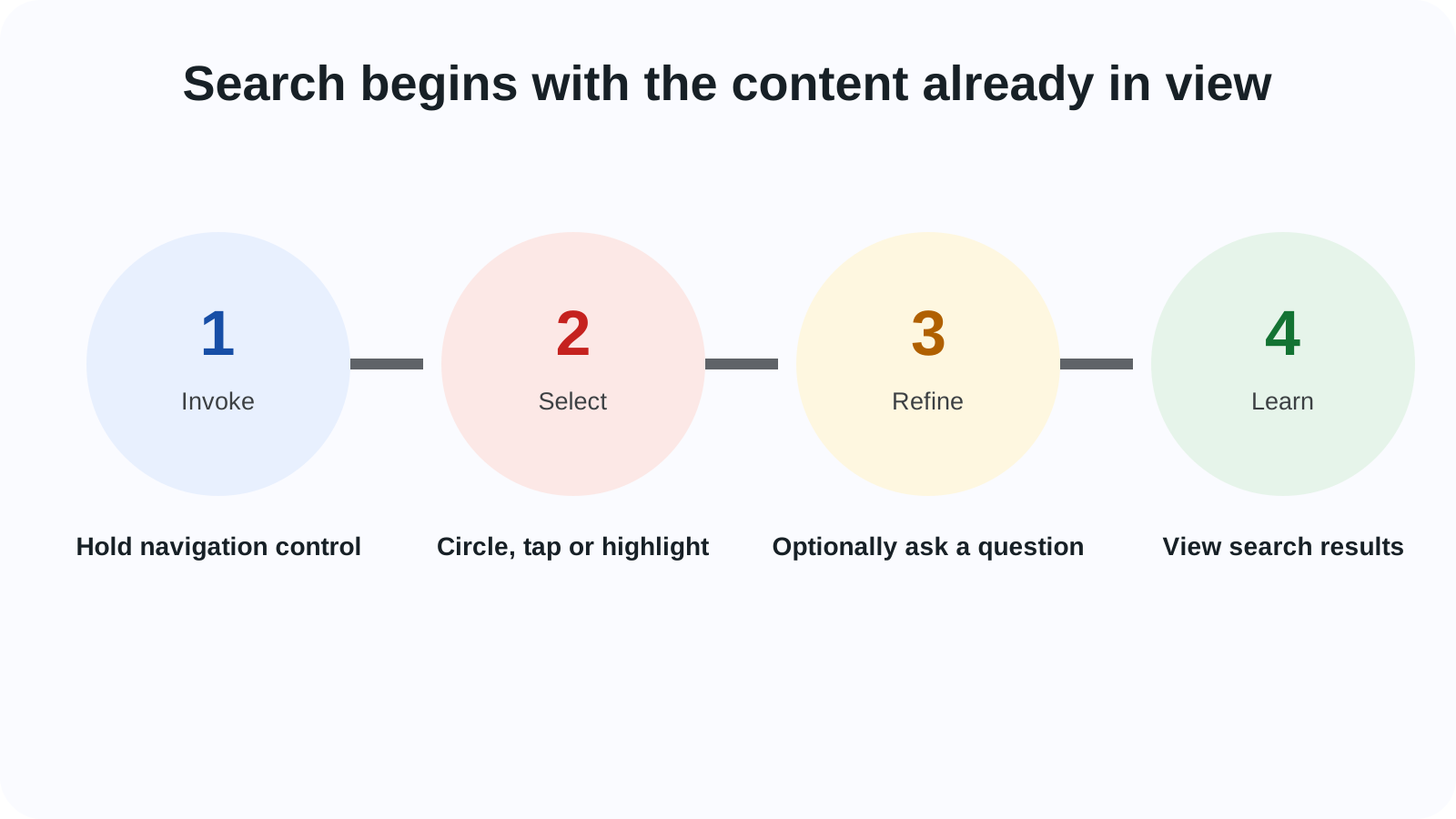
What the January 2024 posts put on the screen
Reid says you select images, text, or videos by circling, highlighting, scribbling, or tapping, and find the information where you already are. The examples are texting, social media, and a video. The same post says Search and Shopping ads continue to appear in dedicated ad slots on the results page.
Pott’s five uses are shopping an item in a video, highlighting a word, scribbling over a building, highlighting a restaurant name in a text, and adding a question. For the building, the post says the older path was a screenshot, an app switch, a typed description, or the comments. It does not print seconds saved or a fee. Those cells stay blank.
The close on that post is a swipe away, back to the video, the chat, or the scroll.
Reid’s AI paragraph is a different launch in the same post. AI-powered overviews on multisearch results launch that week in English in the U.S., with no Search Labs enrollment. Outside the U.S., the post says people who opted into Search Generative Experience can preview the experience in the Google app. A further sentence says you can also reach AI-powered overviews on multisearch results within Circle to Search. Pott later calls those overviews available in select countries. The country names are not in the saved text.
Hiroshi Lockheimer’s post uses the same Jan 17, 2024 date line and places the gesture on the Galaxy S24 series at Galaxy Unpacked in San Jose. The Circle to Search paragraphs there do not name Gemini Nano. In that post, the Galaxy S24 series will come built-in with Gemini Nano for a new feature in Google Messages, and the post says that data does not leave the smartphone. A later paragraph names Magic Compose, running on-device using Gemini Nano. The on-device Pixel record is Pixel 8 Pro and Gemini Nano.
The phones in the January start sentence have their own update records: the Pixel 8 seven-year update page and the Galaxy S24 seven-year update page. Those pages cover software support. They are not a Circle to Search model census.
Where a Circle to Search query stops
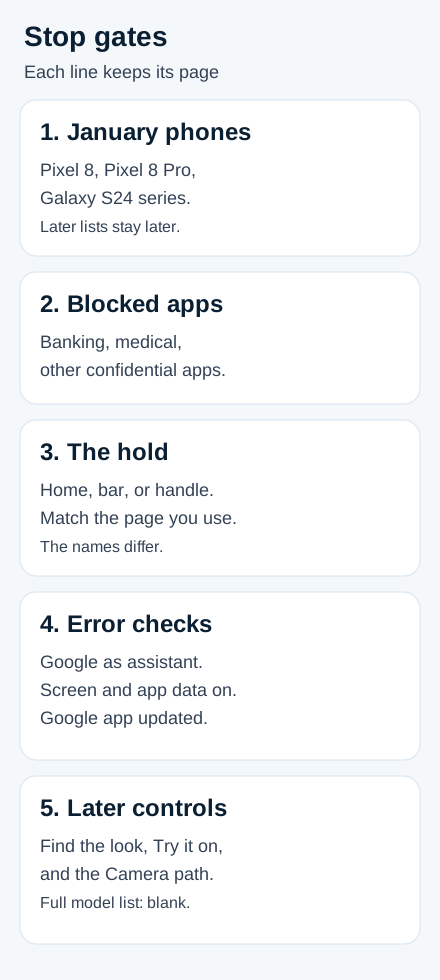
Five gates show up across the saved pages. Each dominant failure mode stays with the page that prints the prevention.
| Gate | Dominant failure mode | Prevention the saved page prints |
|---|---|---|
| January start set | The phone is outside the Pixel 8, the Pixel 8 Pro, and the new Galaxy S24 series | Reid and Pott name that set for January 31. Later pages are later pages |
| App surface | Banking, medical, and other confidential apps | Search Help: the feature may not work in some of those apps |
| Hold | The hold does not match the control that page names | Pott: home button or navigation bar. How-to: Home button, or the navigation handle in gesture mode. Help: Home button or navigation handle. Product page: Home button in 3-button mode, navigation bar in gesture mode |
| “Screen search isn’t available” | Assistant, screen permission, or the Google app | Google is the default digital assistant, Use screen and app data is on, and the Google app is updated |
| A later control | Find the look, Try it on, or the Camera path is read as the base feature | Each has its own phone sentence on the help page |
Rule of thumb: If the January 2024 date is below 31, Reid’s rollout sentence has not started. The announcement date line is Jan 17, 2024. The launch day in that sentence is January 31.
Worked example, arithmetic on the printed lines. Pott and Reid name three start items: the Pixel 8, the Pixel 8 Pro, and the Samsung Galaxy S24 series. Start names = 3 items. The Android how-to page saved on October 18, 2026 prints 15 lines under “exclusively available for.” Count = 15 lines. Its visible byline reads May 16, 2024. Its schema datePublished is 2026-04-13 and its schema dateModified is 2026-07-17. This count uses the saved lines. It does not pick which of those dates last edited the list. The 15 lines are Google Pixel Fold, Google Pixel 8 Pro, Google Pixel 8, Google Pixel 7 Pro, Google Pixel 7, Google Pixel 7a, Samsung Galaxy S24 Ultra, Samsung Galaxy S24+, Samsung Galaxy S24, Samsung Galaxy S23 Ultra, Samsung Galaxy S23+, Samsung Galaxy S23 Series, Samsung Galaxy Z Flip5, Samsung Galaxy Z Fold5, and Samsung Tab S9. “Samsung Galaxy S23 Series” is one line, as printed. A second arithmetic uses the bylines only: January 31 minus January 17 = 14. Day gap = 14 days. That gap is the byline numbers. It is not a count of software builds. The schema dateModified of 2026-01-07 on the three Google posts sits outside that subtraction.
What the saved Android how-to page prints
The how-to page says Circle to Search is available right out of the box on the Samsung Galaxy S24 series. On the other phones in its list, it says the feature arrives once you update the device. The settings labels on that page are “Hold home to search” or “Hold handle to search,” depending on the navigation mode.
After the hold, the page says the Google Search bar appears at the bottom with a colorful animation. The gestures it lists are circle, highlight, scribble, tap, and a two-finger press to zoom and pan. The closing line says compatible devices and an internet connection are required, that it works on compatible apps and surfaces, and that results may vary depending on visual matches.
The AI sentence on that page reads “Available in” twice, because the second phrase is the link text. No country names are in the saved sentence. The cell stays blank.
What Google Search Help prints now
Search Help, Android Help, and Pixel Phone Help were fetched on October 18, 2026. The Pixel URL for answer 14542478 redirected to answer 14508957 on Pixel Phone Help. The three saved articles print the same steps and the same phone sentences. This section cites Search Help.
The base line is select models of Android phones, including Pixel 6 and later. Touch and hold the Home button or navigation handle. The Google Search bar and a gradient glow appear. Circle, highlight, scribble, or tap the image or text. Results show on the lower half of the screen. To leave, swipe down, use the back gesture, or tap X at the top left. You can drag the selection borders, pan with two fingers, or drag the search bar. Translate sits next to the search bar. The page says translation works for most content such as web pages, messages, and social media, and that it does not cover videos and GIFs. The page also says Circle to Search can check whether a photo is original or modified. It does not print an accuracy rate.
Find the look, on that page, breaks an outfit into pieces. The phone sentence names Pixel 10, Pixel 10 Pro, Pixel 10 Pro XL, Pixel 10 Pro Fold, Pixel 10a, Pixel 11, Pixel 11 Pro, Pixel 11 Pro XL, and Pixel 11 Pro Fold, and then devices that support AI Mode and AI Overviews. Find-the-look names = 9 phones. The extra clause is not a tenth model name. If the button is missing, the page says to type “find the look” and tap enter. It says to use images where the clothes are clearly visible, and to avoid multiple layers or covered parts.
Try it on uses that same nine-phone sentence. The page says it is currently available within Australia, Canada, India, Japan, UK, and US for logged-in users, that users must be 18 or older, and that history and personalized recommendations must be on. Lingerie, swimming costumes, and accessories are unsupported. Shopping ads do not get the Try it on button. The saved help page links the words “logged-in” to a Google sign-in host. This article does not quote that host.
Circle to Search in the Camera app names Pixel 11, Pixel 11 Pro, Pixel 11 Pro XL, and Pixel 11 Pro Fold. Camera names = 4 phones. Point the camera, hold the Home button or navigation handle, and circle the object or text in the viewfinder.
To turn the feature off, the page says to search settings for Circle to Search and turn it off. The Pixel path is Settings, then System, then turn off Circle to Search. For the error “Screen search isn’t available,” the page says to set Google as the default digital assistant, turn on Use screen and app data, and update the Google app.
The Android product page, also saved October 18, 2026, has no publish date in the saved file. It says you do not download Circle to Search on an Android device, and you do not need Chrome as the default browser. For an iPhone, it names a similar feature, “Search Screen with Google Lens,” through the Google app and the Google Chrome app. That is the product page’s name. It is not the Android hold described above. The same page labels outfit search, translation, summaries, fraudulent texts, and songs playing on the device and around you. The help article does not print a song step or a fraud-text step. Those procedures stay blank.
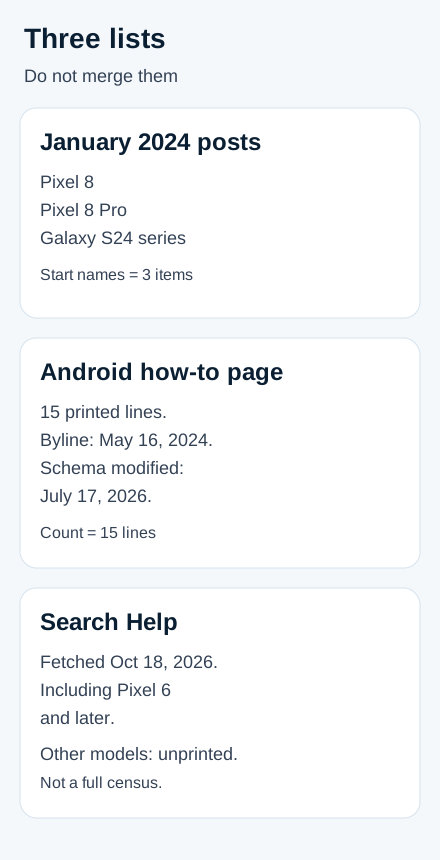
How this page was checked
The sentences above were checked against eight pages saved on October 18, 2026: Reid’s January 17 post, Pott’s January 31 post, Lockheimer’s January 17 post, Google Search Help, Android Help, Pixel Phone Help, the Android how-to article, and the Android Circle to Search product page. A blank cell means the saved page does not print that figure. Start names = 3 items, Count = 15 lines, Day gap = 14 days, Find-the-look names = 9 phones, and Camera names = 4 phones are arithmetic on those printed lines. The three Google posts show schema dateModified 2026-01-07, so the quoted sentences are the October 18, 2026 copies, not a claim that every sentence was frozen on the byline day. Comment threads were not used.