Archive update: February 2012 media coverage attributed a phone-to-TV voice-control concept to a Google patent application. The reported design combined a mobile remote, speech recognition and connected television; it was not a product announcement.
| Patent record field | Status in this review |
|---|---|
| Application publication number | Not confirmed against an original patent record |
| Applicant | Google, as attributed by contemporary media; not independently confirmed on the original record |
| Patent publication date | Not confirmed; February 20–21 are media reporting dates |
| Original patent document | No verified document link recovered; the media links below are not the original patent |
Until the record is identified, this page summarizes reported concepts rather than interpreting a verified patent’s claims.
How was the proposed system supposed to work?
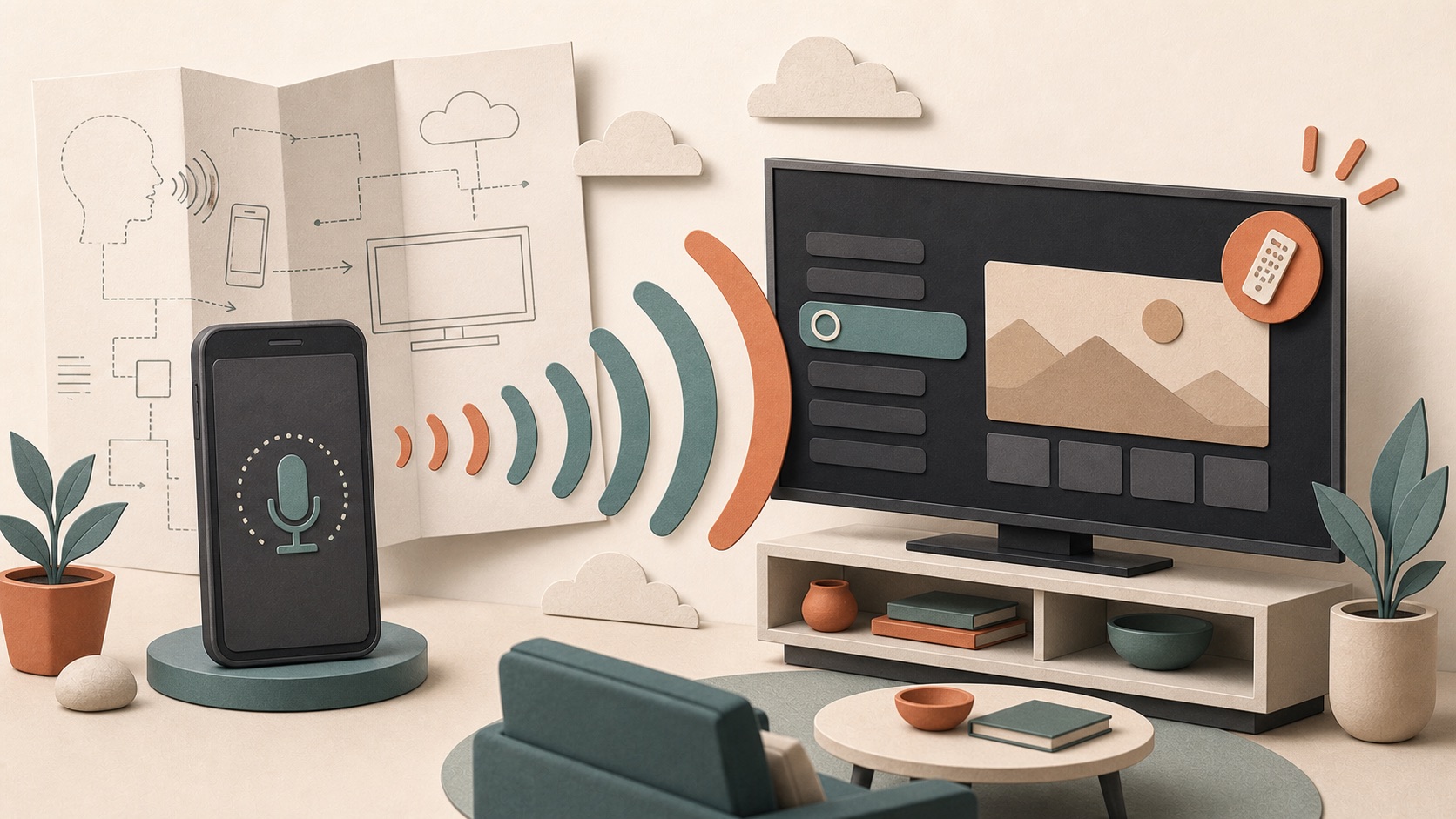
Contemporary reporting described the phone as the voice-input device. A user would speak a command, the system would interpret the request and a television or set-top box would perform the corresponding action.
Android Community’s February 20 report discussed location-triggered TV control and spoken content requests. These are media examples, not independently checked quotations from the original patent. The broader idea was to use the sensors, microphone and network connection already present in a smartphone to simplify the television interface.
What information would the system need besides speech?
Editorial inference, not a verified patent description: A useful command is more than a transcript. If someone says “play the next episode,” the system needs to know which account is active, what was watched previously and which television should respond. A request to turn on the TV as the user approaches home also depends on location, device proximity and a trusted connection between phone and television.
That context could reduce the number of words a person must say, but it also increases system complexity. The phone has to identify the speaker or account, the service has to map ordinary language to a supported action and the receiving device has to be reachable. When several screens are present, the system may need a rule for choosing the correct room.
| Proposed stage | Role in the interaction |
|---|---|
| Capture | The phone microphone receives the spoken request |
| Interpret | Speech and command software determines the intended action |
| Route | The request travels over a network to the television or set-top box |
| Respond | The TV changes state, opens content or returns a result |
Why was television control a difficult voice problem?
The following examples are editorial design analysis, not reconstructed patent examples. Television commands mix simple controls with open-ended discovery. “Turn the volume down” has a small, predictable meaning. “Find a comedy I have not seen” requires search across services, account history and available catalogs. The first type can often run as a direct device command; the second may need a cloud service and a result interface on the screen.
Shared viewing adds another complication. A phone is personal, but a television usually belongs to a household or room. The account on the phone may not match the profile currently watching. A child, guest or partner may issue a command through someone else’s device. Designers have to decide whether identity, parental controls and recommendations follow the phone, the television or the selected profile.
Good feedback is essential. The screen or phone should show what the system understood before taking a costly or disruptive action. If a title has several versions or is available through more than one service, the interface may need to ask a follow-up question. Natural language reduces typing, but it does not remove product decisions about ambiguity.
Why use a phone instead of a television remote?
Editorial design comparison: Early smart-TV remotes struggled with web search and text entry. A phone could offer:
- A microphone and processing capability already in a personal device.
- A personal identity and account already associated with the user.
- Network connectivity even when the television was in standby.
- A touch screen for fallback controls and text entry.
This division of labor made sense: the TV remained the shared display while the phone became a personal controller.
What tradeoffs came with using the phone as a remote?
The phone provided hardware that many users already carried, so a television maker could benefit from its microphone, keyboard, touch screen and network connection without putting every component into a dedicated controller. Software updates could also improve the remote experience after the television shipped.
However, a phone is not always available to everyone in the room. It may be charging, locked, on a different network or receiving a call. Opening an app can take longer than pressing a physical volume button. Battery-saving behavior may interrupt background connections, and visitors may not want to install an app just to use the screen.
The strongest design is therefore complementary. Voice and touch can handle search, text and personal recommendations, while a simple physical remote remains dependable for power, volume and basic navigation. The reported concept highlighted the phone’s possible advantages; product teams would still need a graceful fallback when the personal device was absent.
What did the patent not prove?
Patent language can cover many possible implementations. Filing an application does not confirm that a feature is finished, commercially practical or scheduled for a specific device. It also does not mean the broad idea of voice-controlled television originated with one company; voice and remote-control systems had a long history before Google TV.
How should a patent application be read?
A patent document tries to describe an invention broadly enough to establish a legal claim. It may include several possible configurations rather than one finished interface. Diagrams and examples can show how a system might work, but they are not a release schedule, a compatibility list or evidence of consumer demand.
Companies also file applications for ideas that later change, appear only in part or never become a standalone product. Engineers may discover reliability problems, platform priorities may move and the market may adopt a different interaction model. The filing remains useful because it records a technical direction being considered at a particular time.
How does the idea compare with current Android TV?
Voice search and assistant-driven playback later became standard features of Android TV and Google TV devices, often through a microphone in the remote or a linked smart speaker. Phone-based remote apps also became common.
The surrounding hardware and software stories show why the idea was attractive. LG paired Google TV with a QWERTY Magic Remote because text entry remained awkward, while the Logitech Revue’s inventory exit showed how hard it was to sell a complex first-generation box. Specialized apps such as Qello supplied the content that a simpler voice interface could help viewers discover.
What privacy and reliability questions would deployment raise?
A voice system may transmit audio or a processed command beyond the phone. Users need to know when the microphone is active, which account stores activity and whether recordings or transcripts are retained. Location-aware automation adds another sensitive signal. A convenient “turn on when I arrive” feature should have clear permission controls and an easy way to disable it.
Reliability affects trust just as strongly. Accidental activation can interrupt shared viewing, while a failed power command can leave users unsure which device or network is responsible. Visible status, confirmation for important actions and manual controls help the system fail safely.
The 2012 media account is therefore best read as an early design direction: move complex search and control away from button-heavy remotes and toward natural language plus connected personal devices. Explore the 2012 Android and Google TV archive for the connected hardware, controls and apps surrounding that early smart-TV period.
Archive method and revision
Original URL date: February 21, 2012. Rechecked October 8, 2026 against the February 20 Android Community report and the cited Engadget record dated February 21. This restored analysis separates media examples from editorial inference and repairs the year link. A verified application number, applicant record, publication date and original document remain unresolved; no legal claim scope or shipped feature is asserted here.